
Career Advice


Career Advice
10 Tech Trends That Will Shape the Next Decade
Technology is what writes the human story. From quantum computing and nanotechnology, to AI and Green Tech, here are 10 tech trends that will define the next decade.
Right from the invention of the wheel and the spear, technology has shaped human history – and the Digital Era is no different. Technology continues to have a formidable impact on the way we live, work, socialise, and exist. You only need to look at the device you’re reading this on and the internet that’s bringing it to you to see that fact in action. Let’s take a look at the ten most exciting technologies that are sure to have an effect on our future and society that may even dwarf that of the Industrial Revolution.
Here are the top 10 tech trends that will define the coming decade and beyond.
Tech trends
1. Quantum computing
Quantum computers are essentially a different kind of super computer, which uses qubits instead of binary to transmit a far greater amount of information in the same space. What this does is allow for a whole new level of advanced computers which can solve in seconds problems which would take our current computer technology thousands of years.
With such computers on the market, everything we do with computers would have to change overnight. The applications for quantum computers are limitless; its ability to solve even the most complex problems means it could do work that’s nearly impossible without millions of dollars in supercomputers, such as unfolding and predicting protein sequences in medicine.
Quantum computers aren’t still fully out of the lab and experiment chamber just yet, but with the world’s biggest tech companies (including IBM and Google) reporting significant breakthroughs, it’s only a matter of time until these advanced quantum computers change the face of computing itself.
Tech trends
2. Autonomous vehicles & self-driving technology
Cars and transport are a central feature of human civilization – and with advances in AI, visual recognition software, and computer technology, the era of autonomous vehicles is all but here.
AI and autonomous guidance are safer and more efficient than human drivers, and they can save time, money, and resources on existing transportation methods. Tesla recently published driver data demonstrating the life-saving results of its automated driving and safety technology:
‘For those driving without Autopilot but with our active safety features, we registered one accident for every 2.05 million miles driven. For those driving without Autopilot and without our active safety features, we registered one accident for every 978 thousand miles driven. By comparison, NHTSA’s most recent data shows that in the United States there is an automobile crash every 484,000 miles.”
Tesla report
Automated navigation systems can plot more efficient courses to save time and fuel, saving millions of dollars and tonnes of CO2 emissions per year. In some cases, this advanced technology can increase and decrease engine throttle and speed against wave and wind action to save fuel.
The impact of self-driving cars goes beyond just safety and efficiency; it could disrupt work and create whole new personless industries. Just imagine loading your Uber app onto your Tesla, and setting it to ‘taxi’ mode when you get to work, so it goes out and earns a living while you do?
Tech trends
3. Space travel, space tourism, and the new space race
On the surface, the news and hype around space travel doesn’t seem like much more than a few billionaires fulfilling personal fantasies of going to space. However, it would be a mistake to ignore the significance and world-changing potential of the world entering another space race.
The first space race brought remarkable advancements to the human race, including LEDs, CAT scans, cell phone cameras, modern athletic shoes, modern water purification, wireless headsets, freeze-dried food, smoke detectors, portable laptops, and many more. With new attention being thrown on space travel once more, and companies making this travel cheaper and more versatile, we could see the development of technology that we haven’t even thought about yet.
What’s more, it won’t cost taxpayers billions of dollars this time around: Space-X, Blue Origin, Virgin Galactic, and other private companies are subsiding and refining the tech needed to get to space, both reinventing space travel and creating a whole new industry of space tourism in the process. One day, going into space (or even to a base on the Moon or Mars) could be as easy as booking a plane ticket today.
Tech trends
4. Intelligent spaces and places
As the world grows, our cities will only get bigger. The UN predicts that 68 percent of the world’s population will live in urban areas by 2050. So what do we do about the many social, environmental, and economic challenges that our cities will face? The answer: Smart Cities.
With the spread of ICTs and digital technologies, our cities will become more connected than ever before. We’ve already seen the power of tech automating home and office spaces, which result in more efficient, better living spaces by automatically managing lighting, heating, and water. As tech becomes ever more ubiquitous, our cities will become smarter, more efficient, and more sustainable.
Smart cities could be much more pleasant, efficient, and economic places to live within a decade, if tech is used to better manage our public spaces. Smart cities could, for example, keep traffic flowing, even at the heaviest peak hours. They could manage resources more efficiently, by avoiding wasteful lighting or unnecessary garbage collection timings. And they could make cities safer, more connected places to live for humans, as tech both connects us and allows us to better track, investigate, and prevent common urban crime.
Tech trends
5. CRISPR and gene engineering
CRISPR is a technology that allows researchers to edit genes – or even ‘switch on or off’ genes without altering their sequences. In the past few years, this truly revolutionary technology has made huge strides, giving the world much promise for breakthroughs in the treatment of HIV, Ebola, RNA viruses, and cancer.
CRISPR represents a significant stride forward in the curing of illnesses that are otherwise impossible to treat with conventional medicine. What’s more, it’s breakthroughs have whittled down both the cost and time requirements for gene editing, meaning that the ability to experiment with new treatments is open to a far greater number of laboratories.
The benefits and results of CRISPR will be life-changing for millions of people across the world, as doctors and scientists are taking tentative steps towards experimental therapies and treatments that could solve serious illnesses, such as Alzheimers, Parkinsons, autoimmune diseases, genetic conditions, diabetes, and many, many more.
Tech rends
6. The intersection of Virtual Reality and Augmented people
Wearable technology and virtual reality are already on our wrists and in our homes. However, as the technology driving these advances steadily improves, and intertwines with technology for human augmentation, we could see the stuff of science fiction become as common as the phones in our hands.
A monkey with a Neuralink chip installed in its brain was able to play pong without its hands, using just its mind. This is a simplistic start, of course, but it holds great promise for people suffering brain injuries. With this technology, doctors could restore sight, sound, or movement to people with spinal or brain damage, or could allow people with missing limbs to use robotic, digitally-driven prosthetics as naturally as a natural human hand or leg.
Tech trends
7. 3D printing
The advancements of 3D printing have allowed it to become relatively portable and accessible, so that the average person can design and print sold objects without needing an industrial warehouse and specialized equipment.
This tech is so much bigger than printing statues and spare parts for your appliances at home, however. 3D printing employed a macro scale could mean houses that are faster, cheaper, and easier to produce – and as the lines separating different fields of science blur, 3D printing and medicine could intersect and leading to breakthroughs in bioprinting where new organs, skin, and tissue can be made in a lab to help heal the sick.
Who knows? One day you could even affordably bioprint a fillet steak for your dinner.
Tech trends
8. Nanotechnology
Since the invention of the scanning tunneling microscope in 1981, the world of nanotechnology has grown from science fiction to science fact. Today, nanotechnology is making steady progress, with experiments demonstrating promising results across a wide array of applications, including administering drugs and medicine in very specific places, diagnosing illness with microscopic graphene rods, treating bacterial infections with gold particles, healing wounds, and repairing cells.
As the coming decade reveals better (and even smaller) technology and more refined manufacturing processes, we could see nanotechnology taking a pivotal role in medicine delivery and medical treatment.
Tech trends
9. Green technologies
Green tech came about as a direct response to the challenges of climate change and global warming. Just as the issues of the changing climate across the world are multifaceted and varied, so too does green tech cover a wide range of applications and industries. Right now, green technology is being used to solve crises in energy, clean water supply, and carbon pollution, but it’s also being used to improve and refine other industries to be more efficient, sustainable, and environmentally friendly.
The climate challenges that humans face will likely only grow more severe as time goes on and population growth and resource depletion intensify, but with the rapid advancement of technology so will our capability to tolerate and reverse these climate effects. In the next decade, green tech is sure to be a frontrunner for the most important technologies on the planet.
Tech trends
10. AI and intelligent assistants
AI and intelligent assistants are already in our homes and hands, with Siri, Alexa, Cortana about as well known as any celebrity. However, with the significant advancements in AI, machine learning, and cloud computing, the role these assistants will play in our homes and lives will only grow more pronounced. These technologies won’t just become more sophisticated (we’ve already seen how an intelligent assistance could make you an appointment at a local hair salon), but AI and audio synthesis technology become more advanced, they could talk to you (and sound just like a real person), create complex software applications for you, or even write your blog articles for you.
–
With the rapid wave of digitisation and technological advancement happening across the globe, it’s clear that there are some massive and life-changing breakthroughs heading our way. All of these advancements rely on one thing: tech skills. Whether it’s new world-saving green technologies, sophisticated new AI, or medical technology that changes the way we think about illness, the ability to work with technology will be a vital part of this new future, world, and economy.
Our online and on-site mentor-led coding bootcamps put practical tech skills into the hands of those who need them, so that they can start real developer and engineer work in months rather than years. With our modern curriculum and project-based syllabus, you can start building a portfolio of working software, websites, or apps that will demonstrate your tech proficiency and launch your career in web development, software engineering, or data science in as little as 3 months.
Secure your place in the future of these tech trends by enrolling for your coding bootcamp today.

Career Advice
What Is No-Code & What Does It Mean for the Future of Coders?
No-code is a relatively new technology in the world of coding. We take a look at where it fits into the future of coding.
Coding can be complicated. For total newcomers (and even established programmers) it can be time-consuming and difficult to make your lines of convoluted code work just right to produce the beautiful, highly functional website or application you’ve been dying to create.
However, as technology has become more advanced, a new way of producing code-based applications and products has emerged: no-code.
What is no-code?
Put simply, no-code refers to technologies or platforms that allow you to produce websites, applications, or software without ever writing a single line of code. These tools and platforms use a variety of accessible, easy-to-use features to make app creation simple, including video tutorials, drag-and-drop interfaces, ready-to-go templates, and AI that does the coding work for you. In a rapidly digitising world that’s held back by a growing global tech skills gap, no-code technology is a giant leap forward: it allows non-technical people to create striking, functional apps without weeks of work, multi-developer teams, and years of learning numerous difficult programming languages.
- The power and potential of no-code tools
For the average person who wants to make cool apps without endless struggle, no-code is a powerful tool. Here are some of the great things about no-code technology:
- No-code saves time and money
The do-it-yourself style of no-code lets you save on costly development by simplifying the whole development process. You can prototype, build, publish, and manage your app or website in days rather than months, because your project is built on modules that already work.
- No-code keeps things simple and small
No-code allows you a quick and easy way to implement a wide range of app features, without needing specialist knowledge or having to build everything from scratch. You don’t need a front-end developer, back end developer, Fintech guru, ICT Security genius, and database wizard just to get your storefront, website, or mobile app up and running.
- No-code improves access and inclusion
Creating apps and software used to be reserved strictly for those who had the time, money, or skills to get them built. With no-code, access to the means of app production is truly democratised: anyone can build anything, without needing to spend years on a computer science course or thousands of dollars on a dev team.
The downsides of no-code
Just like with any other tool in existence, no-code has more than a few downsides that you should keep in mind if you’re considering them over traditional coding techniques and tools. Here are just a few of them:
- No-code tools can often be very limited
Pre-built templates and pre-selected features can severely limit what you can build. After all, drag-and-drop resources and GUIS can’t do it all, and with no-code tools you can often only do what’s already been done.
- No-code doesn’t teach transferable skills
Coding is about more than just writing code. As many programmers will tell you, the act of writing code is usually only a part of the job or problem at hand. Often, more time is spent figuring out what the problems are, determining the best solution, and mapping out what code and tools will be needed to solve the problem. What’s more, what you learn on one no-code platform might not apply on another.
- No-code often requires a data connection to the tool server
Many no-code technologies become a middle man over your program, requiring you to go through them (and have an active subscription and connection to their platform!) to manage and update your app; this layer of “convenience” actually prevents you from having direct and immediate control over your creation. Often, it’s far simpler and less risky to build, publish, host, and manage your software or website yourself – especially when some no-code platforms don’t let you own your source code.
The future of no-code
Of course, the rise of a new, exciting technology cannot happen without some Luddite-style worry that it will destroy industries, take jobs, and replace established professions. You really shouldn’t worry, however: this new tech is more a new tool to assist and simplify coding, rather than an outright replacement.
While no-code solutions will no doubt grow as they become more available and accessible to businesses and new coders looking to save time and money, they aren’t an outright replacement for skilled, informed developer work. No-code is a powerful tool that democratises the access and resources to make your own tech, but even the most advanced and feature-rich examples cannot beat the freedom and limitless possibilities of knowing how to use and write the code that they’re made from.
At its heart, no-code demonstrates the difference between coding and engineering. It simplifies the ability to transfix ideas into digital forms, but they’re no replacement for the innovative problem-solving and solution-oriented perspective of engineers and developers. If you’re a technically minded person, or thinking about learning to code and build your own projects, your best bet is to know how to code proficiently, and how to think like a programmer or engineer. These no-code solutions then become another tool in your already considerable arsenal.
Our bootcamps teach hands-on, job-ready programming and engineering skills, so you can work with data, build complex software applications, and create amazing, high-grade websites from scratch. They’ll also help you have a better understanding of what options are available to you in professional developer work, so that you can develop a wide range of industry-quality programs without wasting any time, effort, or money.
Apply to join one of our online and on-site mentor-led bootcamps by clicking here.

Career Advice
Tips for a 5 star LinkedIn profile
With nearly 90% of recruiters using LinkedIn for their talent search and hiring, you need a great LinkedIn profile if you want to stand out in the crowded digital jobs market. Here are our top tips for a 5-star LinkedIn profile.
LinkedIn has become the leading digital base for job seekers, professionals, recruiters, and companies across every imaginable industry. The proof is in the numbers: the platform boasts almost 720 million users, over 55 million registered companies and at least 1 billion user interactions per month.
It comes as no surprise that LinkedIn has become one of the most valuable resources for job seeking. In addition to LinkedIn’s impressive user stats, it’s reported that 87% of recruiters actively use the social media site to find and engage with potential employees.
In this new era of digitised job seeking, the LinkedIn profile has become a virtual, all-encompassing CV that represents who we are as professionals. It is therefore more important than ever to ensure that you are correctly harnessing the potential of LinkedIn to access employment opportunities.
There are a few simple steps you can take to ensure that the way in which you use LinkedIn, including how you optimise your profile, are setting you up for success.
Here are some of HyperionDev’s top tips for a 5-star LinkedIn profile:
1. Your headline is prime real-estate – use it!
When recruiters are browsing profiles, the first thing they will see is your profile headline. Your headline also appears with your name whenever you post, comment, or interact with the LinkedIn community.
You don’t have to limit your headline to just your role or position. This space is your opportunity to give a clear and concise idea to viewers about who you are, what your key skills are, and what you are currently involved in or looking for.
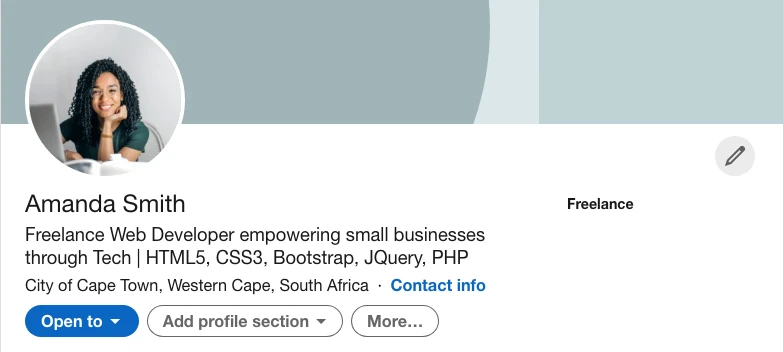
This is also your chance to engage potential employers if you are actively seeking employment. In this case, it’s beneficial to include your current role, the role you are interested in, and a brief overview of your skill set.
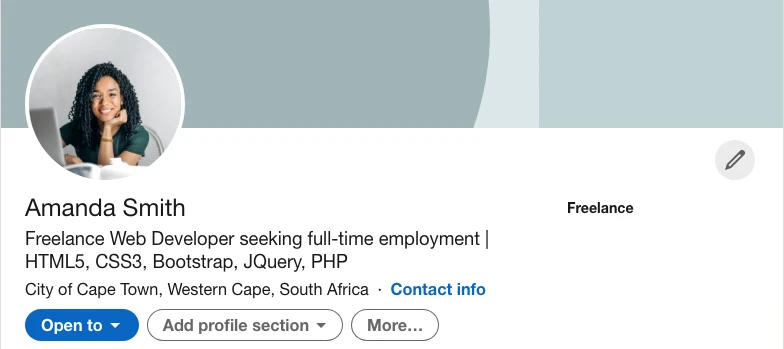
Including skills-related keywords in your headline, as seen above, will also increase your chances of appearing in a LinkedIn search result relating to said skills. You can also immediately flag your interest and availability to recruiters by seeding this header space with keywords like “seeking” or “looking for employment”.
2. Tell a story with your summary
The summary section of your profile is where you can get into more detail about yourself and what you have to offer. You can share your passions and interests (in relation to your field of work) and any specific skill sets that you have. Try to make the summary personal, interesting, and informative rather than just a list of your previous work experience and skills.
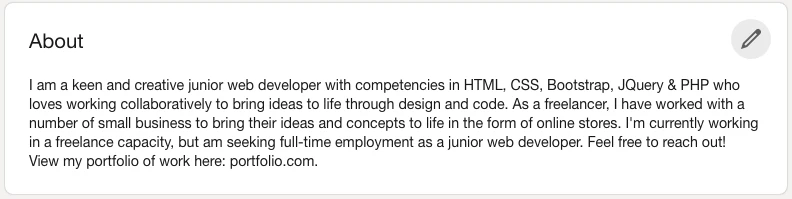
Remember: recruiters and hiring managers are looking at hundreds of profiles a day, so try to avoid generic buzzwords and overused phrases. Get creative!
3. Focus on your achievements
Rather than listing your roles and responsibilities from a previous job, narrow it down to the highlights and your specific accomplishments. Simply detailing a list of your past jobs’ responsibilities doesn’t actually give an indication of how successful you were in that role.
It also helps to include ‘action words’ such as ‘responsible for’, ‘grew’, ‘reworked’ or ‘optimised’ at the beginning of each sentence. For a lot of employers, it’s important to see a ‘track record of success’. Where possible also try to include key metrics that quantify what you achieved as well as any key stakeholders that you worked with.
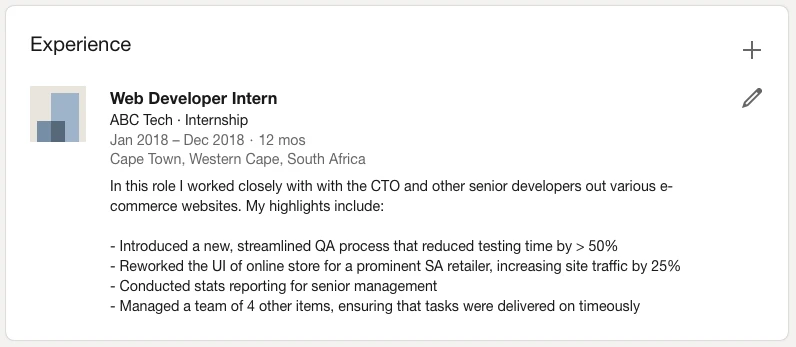
Think about it this way: there are probably a lot of other candidates with similar qualifications and/or experience, so how can you stand out?
4. Nurture your network
LinkedIn is still a social network, albeit a professional one, and the point of the platform is to help users to grow their professional networks. So what’s the best way to expand your network?
- Sync your email contacts list with your LinkedIn profile – this can help to reconnect with old colleagues and friends.
- Research relevant thought leaders and industry experts to follow (LinkedIn also suggests these for you based on the industry you are in).
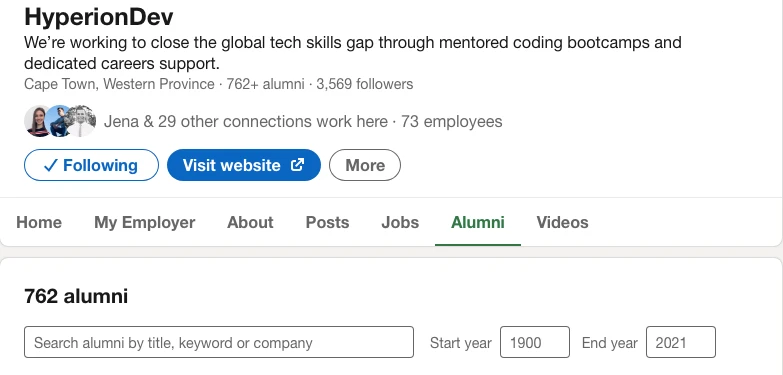
- Connect with other alumni, lecturers, teachers or mentors from any institutions you have been part of.
- When making an in-person contact, follow up with the connection on LinkedIn.
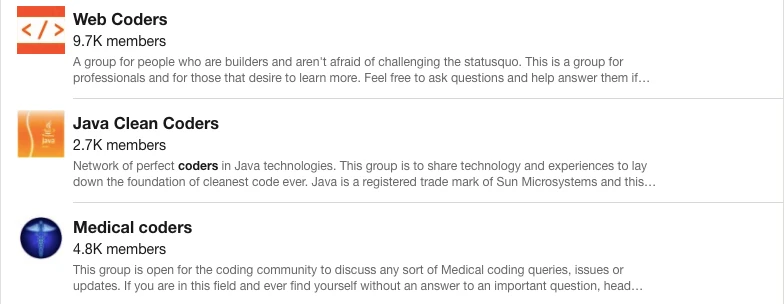
- Joining groups that are relevant to your industry and what you do.
- Share posts and content that interests you and interact with other users’ content with your own thoughts and insights.
Lastly, try to include a personalised message that explains your intentions when requesting a connection, especially when you don’t actually know the person. This makes the request seem more intentional and is a great conversation starter.
5. Substantiate your skills
Including a list of skills in your profile gives weight to what’s been said in the headline, summary, education, and work experience sections of your profile . Here are a few ways you can really highlight your skills, achievements, and expertise:
- Endorsements.
Your connections are able to endorse certain skills that you have listed on your profile, so be proactive about reaching out to teachers, mentors, colleagues, managers etc. to endorse your skills. These endorsements hold extra weight if the endorser is also skilled in the same area.
- Skills assessments.
LinkedIn offers short online tests that allow you to verify your skill sets. By doing these skill assessments, you will receive a ‘Verified Skills’ badge on your profile. Providing evidence of your skills and abilities strengthens your personal brand, makes you a more appealing hire and is more likely to get you hired.
- Recommendations.
While skills endorsements provide a snapshot of your professional competencies, a recommendation speaks to who you are as a person and what it’s like to work with you. You can add a ‘Recommendations’ section to your profile and request these from former colleagues and managers.
Your LinkedIn profile is only as powerful as you make it, so invest some time into optimising your profile and presence on the platform. If you’re a past or current student interested in making your LinkedIn profile the best it can be, we are launching an exclusive HyperionDev Alumni LinkedIn group for HyperionDev alumni. This group will be used to share industry tips, job opportunities, networking events and more. If you are interested in joining, email careers@hyperiondev.com.
Your professional development matters to us. Our HyperionDev bootcamps will prepare you with practical coding skills, and once you’ve graduated as a job-ready developer, our recently revamped Graduate Program will ensure that you’re also equipped with the necessary soft skills to kick start your coding career. Our post bootcamp support offers mock interview training, CV and LinkedIn profile reviews, as well as networking events to connect with other alumni and the wider tech community.
Don’t just take our word for it: read what HyperionDev alumni Michael and Craigen have to say about their post-bootcamp journeys.

Career Advice
Interview Tips: How to prepare for your next virtual interview
Online interviews and virtual interviews have become an important tool for modern companies and hiring teams looking to hire new workers. Here are 10 useful interviews tips for acing your next virtual interview.
In the world of increasingly online and remote work teams, online interviews are quickly becoming the industry standard when looking to fill roles.
Today, the online interview has become a core tool for every hiring team. According to statistics from jobs platform Legal Jobs, 60% of HR managers use or have used video interviewing in the hiring process. If you’re a job-seeker in the modern workplace, you need to know how to shine in these online interviews.
But how do you prepare for an online interview, and what makes a virtual interview different from one conducted face-to-face? Here are 10 useful online interview tips for you to excel in remote job interviews.
- Make sure all your tech and equipment is working 100%
There’s nothing more important than the very basics – and there’s also nothing recruiters and interviewers hate more than having to pause (or even reschedule) an interview because of video, sound, or other technical interviews.
Familiarise yourself with the video conferencing program you’re using well in advance of your interview. Be sure you know how to share screens, split tabs, mute and unmute yourself, and where the settings for cameras and microphones are so that you can fix any problems as soon as they appear.
2. Make sure your online identity is professional
According to Legal Jobs, 76% of resume rejections are due to unprofessional email addresses. What’s more, 92% of companies use social media platforms to look up candidates.
Recruiters can (and will) look you up online. It can be difficult to separate personal social media from work accounts in the modern age where everything is connected, but try your best to ensure either that your social media profiles are work appropriate, or set to private.
3. Dress the part
You need to be in the right mental state to get the most of your interview. Even though at home, ditch the pyjama bottoms or comfortable yoga pants for something more formal and suited to a face-to-face professional interview.
It’ll help you get your head in the game and react as you would in a professional setting. Besides, you never know if or when you’ll have to stand up on camera. It’s best to be wearing something professional if that happens.
4. Take your time and engage with the interviewer
Even if you’re interviewing by webcam, you’re still talking to a person, so all the tricks of solid interpersonal communication apply. Remember to smile, maintain a positive attitude, look into the camera, and speak slowly and clearly.
In a face-to-face interview, you have the opportunity to make use of body language, gestures and social cues in order to convey your personality and develop rapport with the interviewer. What you can rely on in a virtual interview is the power of eye contact.
- Look directly into the camera, rather than at your screen, to maintain the illusion of eye contact.
- You can also drag the interviewer’s video feed into a small box directly below your webcam, and disable your own video feed on your screen.
- That way, you won’t be distracted by your reactions or what you look like, and you will be able to better focus on maintaining eye contact and engaging with the interviewer.
Finally, take your time. It can be easy to let interview jitters or nerves make you talk quickly or change subjects frequently, so remember to breathe, take and refer to notes, and take your time with your answers.
5. Set your stage
Functioning tech is just half the battle of looking highly professional in your online interview. Be sure to take your interview in a spot that has good natural lighting. It’s best to pick a spot that is away from distractions, and which is not exposed to loud noises or disruptions.
Top tip: try to face a window so that your face is well lit and avoid bright background light as this would create a shadow on your face.
If you’re interviewing at a desk, be sure to clear it of mess and clutter. Keep the background or backdrop of your interview space plain, so that you’re the major focus point of your video feed.
Finally, if you’re using a virtual background (which is a standard feature for many chat applications) make sure it’s a professional or plain one.
6. Have everything you need ready on hand
The last thing you want to do during your interview is have to rummage around for some information, or forget a crucial bit of information from your CV or work experience.
Before you start your interview, make sure you have everything you need to present yourself in the best light possible. This includes:
- A space to take notes. Writing things out slows down an interview and gives you time to think your answers through. It’s also helpful for technical or other difficult questions.
- Your research into the company or position.
- The biggest, most important positives you want to present and to stand out during your interview. This could be work accomplishments, records or awards, and any other impressive information that would put you above other candidates.
- A printed copy of your CV and/or resume. You don’t want to be tabbing between browsers, chat programs, and websites. It’s disruptive and breaks the flow of your interview.
7. Do your research
An online interview is still an interview, so it’s best to prepare the same way you would for any interview – and that includes knowing exactly who you’re talking to. According to Legal Jobs, 47% of the candidates failed the job interview because they didn’t have enough information about the company or the position they had applied to. Researching the company you want to work for is just as critical in a video interview as it is on-site.
Make sure you know everything you need to about the company you’re interested in, and that you read up on the job description and responsibilities. This information will be crucial for both the interviewer (and you) to determine whether you’d be the best person for the job.
8. Brush up on your interview basics
It doesn’t matter whether you’re talking by webcam, phone, or in an interview room: an interview is still an interview, and you should always brush up on your interview basics.
Take time before your interview to cover all the basics you would for any other interview, for example:
- Prepare and plan your answers for frequently-asked interview questions.
- Study your CV so that you can talk about all the information in it without needing to refer to your printed copy.
- Study the company’s history, latest work, and the job description so that you can talk about it without needing to open up their web homepage.
- Prepare relevant examples of your professional achievements and how these experiences would help you to excel in the position for which you’re interviewing.
9. Establish a rapport with the interviewer
Just because it’s a formal interview does not mean you can’t take some time to discuss common interests, ask the interviewer questions, and engage with them directly. This is your opportunity to stand out from other candidates!
Don’t be afraid to ask them job-relevant questions about their interests, their work, or how they fit into the team. An online interview is still a great opportunity to get their personal perspective on the company’s culture and ethos, and what sort of team you’d be working with.
10. Follow up
It’s professional and courteous to follow up with the interviewer. This doesn’t need to be long or particularly complicated: simply send the interviewer(s) a short, professional email within 24 hours of the interview, thanking them for their time and the opportunity.
Keep your thank-you concise. Only include additional resources/information if they requested it in the interview, and don’t write more than a paragraph. It is also advisable not to ask when the interviewer will get back to you about their decision.
With all of this in mind, you should be set to ace your online interview. Just remember: prepare well, stay focussed and calm, and take your time.
______________
Our HyperionDev bootcamps not only prepare you with practical coding skills, but our recently revamped Graduate Program ensures that you’re also equipped with the necessary soft skills to kick start your coding career. Our post bootcamp support offers mock interview training, CV and LinkedIn profile reviews as well as networking events to connect with other alumni and the wider tech community.
Don’t just take our word for it, read what HyperionDev alumni Michael and Craigen have to say about their post-bootcamp journeys.

Career Advice
Top 5 soft skills for 2021
It's evident that our working world has been changed for the foreseeable future. These changes taking place in the workplace have shown us that soft skills are more important than ever in order to survive in this virtual environment. Here are our top soft skills for 2021.
We stepped into a changed world this January and with a few months of 2021 behind us, we’re starting to see trends emerge in hiring. The soft skills we see in demand now are skills that were largely increasing in demand before 2020 due to the rate technology was accelerating at. However, 2020 was certainly a catalyst to these demands.
Soft skills are the skills that affect how you work. They relate to your personality, your motivation and your ways of interacting with others, to name a few. As much as developing our technical skills (hard skills) adds to our career development, so do our soft skills.
Here are our top 5 soft skills for 2021:
1. Creativity
Definition: the ability to produce or use original and unusual ideas.
Creativity has been an increasingly desired skill for a while. Employers want individuals to be able to look at problems from different perspectives and come up with unique solutions. Technology has been enabling us to do far more than before and with that comes the need to find new ways of doing things. In 2020, we can see how the need for this was emphasised with companies facing a truly unique challenge. Our team managed to handle the changes from last year well and it’s largely due to creativity. One of HyperionDev’s core values is Problem Solving which means that we focus on being innovative under pressure and the way the team managed last year was really a testament to that.
2. Adaptability
Definition: an ability or willingness to change in order to suit different conditions
It’s clear why this has risen to one of the most desired soft skills in 2021 following the year where we all had to adapt to something we never imagined we’d face. Almost every aspect of how people work changed in a couple of months last year but outside of Covid, the increasing use of technology has also driven this need for companies to be able to adapt.
3. Emotional Intelligence
Definition: the ability to understand the way people feel and react and to use this skill to make good judgments and to avoid or solve problems.
At first this may seem like an odd addition to this list but it’s been a grossly underrated soft skill for quite some time. Being able to relate empathetically to team members became crucial last year where many people struggled with a wide variety of emotions that, to some extent, inevitably spills over into their work life. More importantly, your emotional intelligence is also what allowed you to regulate and understand yourself as you moved through a variety of emotions last year.
4. Communication
Definition: the act of communicating with people
Communication has always been a valued skill but the way this skill needs to be utilised is different now. Most people could walk up to their colleagues and ask questions, meet around the coffee machine to catch up and sit around a boardroom table to brainstorm ideas, but that’s not the way we need people to be able to communicate anymore. Brainstorming through Google Meet is different, catching up with colleagues doesn’t just happen, and your questions need to be typed out and sent off. In a way, the skill of communication is something many people and companies have had to relearn. At HyperionDev we created more remote ways for our team to communicate with each other through initiatives like sharing playlists, books worth reading, virtual coffees and drinks and more team-wide check ins.
5. Time Management/Self Motivation/Responsibility
I leave out a definition here because depending on where you’re reading, who you’re talking to or how you define this, it’ll show up as something different. In essence what we’re looking at here is the ability to be accountable and manage your own time and motivation. When you consider it in the context of remote work it starts to make more sense and companies like HyperionDev, who made use of remote work prior to 2020 have been valuing this for quite some time. What we’re describing is that skill that allows someone to work at home, without someone watching them and telling them what to do but they stay motivated, committed and they manage their time and responsibilities well.
Looking beyond 2021
If you want to get ahead of the curve and really accelerate your career development, these are the top 10 soft skills the World Economic Forum says we’ll need in 2025:
- Analytical Thinking and Innovation
- Active Learning and Learning Strategies
- Complex Problem Solving
- Critical Thinking and Analysis
- Creativity, Originality and Initiative
- LEadership and Social Influence
- Technology Use, Monitoring and Control
- Technology Design and Programming
- Resilience, Stress Tolerance and Flexibility
- Reasoning, Problem Solving and Ideation
In 2021 there’s a new set of skills that our changing world needs. However, like the world itself, they aren’t completely new but rather somewhat updated versions of themselves. As we think about our career development, we should also think about this and try to improve our own skills, rather than trying to learn a whole new set.
2020 accelerated the need for many of these skills, and brought some completely out of the dark but technology had shown the need for many of these before 2020. Innovative (and largely tech) companies had seen the need for these skills before 2020 and, from the experience we’ve had at HyperionDev, we can certainly say that they made an essential difference to how 2020 was managed.
Career Advice
HyperionDev Glossary of Coding Terms
Coding isn’t easy, especially when you’re new to it and don’t know the hundreds of complex terminologies and jargon terms used in developer circles. In this coding glossary of terms, we explore and define the most common coding words, phrases, and acronyms that you’ll encounter.
Coding isn’t easy, especially when you’re totally new to it. It’s made even harder by technical terms, acronyms, and industry jargon that you’ve never come across before. That is why we decided to put together a cheatsheet for you. With this glossary of terms, you can learn the most essential terms and phrases used by programmers in the coding industry.

Agile software development
Agile Software Development is a development methodology that simplifies its code, tests often, and delivers parts of a larger project in manageable periods called “Sprints”. small, functional bits of an application when they are ready (called “Sprints”).
Algorithm
An algorithm is a set of instructions that are followed to solve a problem
API
Application Programming Interface (API) is a set of rules, routines, and protocols for building software applications. APIs help in communication with third party programs or services, which can be used to build different software. APIs are used by software platforms and companies – like Facebook or Twitter – to give developers easier access to their services. API’s express software components in terms of their operations, inputs, outputs, and underlying types.
Arithmetic operators
Arithmetic operators are essential in almost every application. These are the signs and functions used to manipulate values: for example, when you add two numbers together, you’re using an addition arithmetic operator (‘+’).
Arrays
Arrays are containers that hold variables. In programming arrays are widely used to group together similar variables.
Assignment operators
Assignment operators (+=, -=, *=, /=) are operators that combine variable assignments (=) with arithmetic operators. These are widely used in programming to simplify value changes, especially when you’re making frequent changes. For example, instead of saying “number = number +1” you simplify to “number += 1)
Attribute
An object, represented by a variable which ‘belongs’ or is attached to that object. That property is a variable of the data type string that has the value ‘Karen’ inside of it. Essentially a property is any variable that is attached to an object, as the purpose of the property is to describe that object. e.g. Person.name = “Karen” means that there is a Person object and they have a name ‘property’. Other words for “attribute” are “Member” or “Property”.
Augmented reality
Augmented reality (AR) is an interactive experience where digital objects are placed in a real-world environment in real time. Examples of augmented reality would be live face, photo, or video filters, or Pokémon Go.
Autonomous
Autonomous essentially means “acting by itself, without continued external control or input”. An example would be a Tesla car’s automatic driving feature.

Back end
The back end is another term used for ‘background’ in programming. A backend task is the one that is performed in the background with the user’s direct interaction. Similarly, a backend developer is a person who designs programs that process data and perform tasks that users don’t directly see.
Binary numbers
A binary number is a computer’s way to represent information. Computers process millions of 1s and 0s a minute using different rules to interpret them as numbers, letters, operators, and everything else put into a computer.
Bit
The individual 1s and 0s you see in binary code are called bits.
Boolean
Also called “comparison expressions”, “conditional expressions” or “relational expressions”, a Boolean expression or Boolean logic is an expression used for creating statements that are either TRUE or FALSE. Boolean expressions use logic such as AND, OR, XOR, NOT and NOR operators, which can be very useful, for example in making conditional searches in your web browser.
Bug
A bug is a general term used to denote an unexpected error or defect in hardware or software, which causes it to malfunction.
Build
Also known as software build or code build, “Build” refers to the process by which source code is converted into a stand-alone form that can be run (either on a computer or even by itself). Builds are created to test and release software.

C++
C++ is a versatile coding language that runs on a wide variety of platforms. It was created as an extension of the C programming language.
Camel Case
In Java and JavaScript is standard practice for a variable should be named using camel case, meaning the first word of the name is lowercase and each new word after that is capitalised. E.g. thisIsAnExampleOfCamelCase
Char
Character (char) is a display unit of information equal to one alphabetic letter or symbol. The value of a char variable could be any one character value, such as ‘a’, ‘1’, ‘$’ and ‘X’. This definition of character relies on the general definition of a character as a sole unit of written language. Not that in languages such as C, C++, C#, and Java, “char” is a reserved keyword (see “keyword” below).
Class
A blueprint/description of an that we use to create an object
Compiler
A program that converts high-level language source code into an intermediate language or machine code, to be executed later. It’s typically slower to compile a program before running it, however execution itself is generally much faster as you only have to compile once.
Constants
A constant (also known as Const) is a term used to describe a value that does not change throughout the execution of the program, unlike a variable. Constant cannot be altered and will remain fixed, and a constant can be a number, character, or string.
Command-line
A command-line interface or command language interpreter (CLI) is where a user can enter commands in the form of successive text in order to complete specific tasks. Windows Command Prompt is an example of a command-line interface.
Code review
A code review is the systematic examination of computer source code that is intended to find and fix mistakes.
Coding
Coding is the act of computer programming or software development in a given coding or programming language.
Concatenation
Concatenation is the act of joining words (strings) together. For example, “Hyperion” + “Dev” becomes “HyperionDev”.
Conditional statements/Conditionals
Conditional statements are expressions in programming language, which help the code make a choice and result in either TRUE or FALSE. A conditional statement (and even multiple conditional statements at once!) can be used to perform different actions depending on the need of the programmer. Conditionals are used in while, if, and, else statements.
Conditional
Also known as an if-statement is a fundamental programming logic gate that determines whether or not a certain block of code should be executed. E.g.
if (age>18): print(“you are of legal age!”)
CRUD (Create, Read, Update, Delete)
These are the 4 cardinal operations that can be performed on data. It can also be used to refer to a database or program’s ability to alter its contained data.
CSS
Cascading Style Sheets is a standard markup language that describes the formatting of markup language pages, for example those written in HTML. CSS is a frontend web development language that gives developers control over how their content, layout, and visual elements of their websites appear.

Databases (DBMS)
A computer database management system refers to the storage and organization of data. Databases are used for easy retrieval of information.
Data Type
A classification of the type of data held in a variable. This is usually used to restrict the types of data that can be saved to particular variables or to specify the type of data that is expected as input into any given function/method. Some coding languages are statically typed languages, and do not let you change data types once you have declared the variable. In contrast, a dynamically typed language allows you to change data types any time you want.
Debug output
Text that a program outputs which is intended to help the developer understand how their code is functioning.
Declaration
A statement that describes a variable, function or any other identifier is called a declaration. A declaration helps the compiler or interpreter identify the word, understand what it means, and know how the process should be continued.

‘Else’ statements
Else statements are used to do something else when the condition in the if statement isn’t true.
Exception
An exception is an unexpected, special, and anomalous condition encountered during the execution of a program. For example, an exception would occur when a program asks a user for a number and the user provides a word. The exceptions must be handled and eradicated in the program code to avoid any fatal error.
Expression
An expression is a legal and valid grouping of letters, symbols, and numbers being used to represent the value of one or more variables. Every expression contains one or more operands (objects being manipulated, such as A, B, or C) and operators (symbols representing actions, such as + or – ).

Field
In programming “field” is synonym for “property”. In databases/tables it represents a single cell of data.
‘For’ loops
For loops are a simple coding technique that allows you to run a block of code over and over again for a set number of times.
For-each loop
A loop that automatically iterates over every item in a collection (list/set/array etc), without keeping track of index.
Framework
A framework is a reusable, hierarchical directory environment that indicates what kinds of programs can or should be built. It includes all the APIs, software libraries, compilers, and everything used by the program. A framework makes it easier for developers to simplify their development environment by having all the tools they need available in one place.
Front end
The front end is the user interface of a computer or any device. For example, any operating system provides users with the ease of navigation. A program or OS is considered good if the UI or Front-end is easy to use and seamless to navigate. Front-end developers are the programmers who design and develop the user interface of a device.
Full-stack solution
Many websites typically need three tiers of development to work effectively: a front end, an application, and a database. A Full-stack solution is a collection of technologies that together allow developers to create each of these tiers and produce a feature-rich web application or website. MERN and MEAN are examples of full-stack solutions.
Functions
A function is a block of code that can be referenced by name to run the code it contains.

GIT
Git is an open source version control system used to manage your coding projects. This system allows you or hundreds of other contributors to make highly tracked and well-documented changes or additions to a program.

High-level language
A high-level language (HLL) is a programming language that lets the developer write programs irrespective of the nature or type of computer. This language typically has to be converted into a machine language for a computer to read and understand it. HLLs are considered high-level because they are in close proximity to human languages and further from machine languages. High-level languages include BASIC, C, C++, Pascal, Prolog, and FORTRAN.
HTML (HyperText Markup Language)
HTML is the standard markup language used to create web pages.
HTTP (HyperText Transfer Protocol) Request
HTTP is an application protocol for distributed, collaborative, hypermedia information systems. HTTP is the foundation of data communication for the World Wide Web. If your browser fetches any file from a web server, it’s using an HTTP request.

IDE (Integrated Development Environment)
This is the environment in which we write our code, they can really be thought of as fancy text editors for the most part, although many IDE’s do provide extra functionality which is why we use them over a standard text editor
If statements
An if statement is a simple programming technique that runs a block of code based on whether or not a condition is true.
Inheritance
Inheritance is a process in object oriented programming that allows you to reuse code to allow independent extensions of the original software. New code classes receive (or “inherit”) the properties and methods of the existing code – this simplifies coding by cutting out the need to repeat entire blocks of code.
Instantiation
The process of creating an instance from a class. In Java this is done using the new keyword.
Interface
A set of unimplemented method signatures intended to be used as a partial blueprint for a class. For example, a “Vehicle” interface may require a “getWheels()” method, which an implementing class like “Car” should then define.
Interpreter
A program used to execute code directly from source. It can be understood as an emulator of a machine that understands how to interpret a high-level language as if it were machine code. In other words compilers do not convert any code to machine code they just execute it directly.The Python executable is a good example of this.
Iterations
The number of times that the same piece of code is used. For example, in a for-loop that is coded to run six times will have six iterations.

Java
Java is a backend, object-oriented scripting language that allows you to create dynamic web pages enabling you to process and maintain data within the browser. The mobile applications on your Android cellphone are written in Java.
Javascript
JavaScript is a high-level, dynamic front end programming language. Not to be confused with Java.
JQuery
jQuery is a cross-platform JavaScript library designed to simplify the client-side scripting of HTML and is the most popular JavaScript library in use today.
JSON (Javascript Object Notation)
JSON is a lightweight, readable format that transmits structured data between a server and web application. JSON can be used as an alternative to XML.

Keywords
These are words that are reserved by a programming language or a program as they have special meanings. These keywords are reserved to perform certain tasks, and they can be either commands or parameters. Each programming language has a set of reserved keywords (also known as reserved names) which cannot be used as variable names. Some keywords in ‘C’ language are ‘return’, ‘while’, ‘if’, ‘static’, ‘continue’ and ‘default’.

LAMP Stack
LAMP is a stack of technologies that are popularly combined in developer work where you need to run dynamic websites and servers. This stack includes: Linux operating system, the Apache HTTP Server, the MySQL relational database management system (RDBMS), and the PHP programming language.
Loop
A loop is a sequence of instructions that repeat the same process over and over until a condition is met and it receives the order to stop.
Loop condition
The logical expression that determines whether a loop should iterate again or stop. E.g. while (count > 0); or for (int i = 0; i < 8; i++).
Low-level language
A low-level language is a language that is very close to machine language and provides a little abstraction of programming concepts. Low-level languages are closer to the hardware than human languages. The most common examples of low-level languages are assembly and machine code.

Machine language / Machine Code
Machine language is a lowest-level programming language consisting of binary digits or bits that are read by computers. These are essentially very basic instructions intended to be executed directly on a CPU chip. Machine language is the only language understood by computers. Therefore, programmers write code in the high-level language, which is then translated into assembly language or machine language by a compiler, which is then converted to a machine language by an assembler.
Machine learning
Machine learning is getting a computer to act without explicitly being programmed to do so. In machine learning, computers will use an available set of data to learn how to do something for themselves.
Main function
The main function is part of C++ and is called when the program starts.
Markup language
A markup language is a relatively simple language that consists of easily understood keywords and tags, used to format the overall view of the page and its contents. The language specifies codes for formatting the layout and style of a page, within a text file only. The most common markup languages are Hypertext Markup Language (HTML), Extensible Markup Language (XML) and Standard Generalized Markup Language (SGML).
MEAN Stack
The MEAN Stack is a free and open-source JavaScript software stack for building dynamic websites and web applications. This stack includes: MongoDB, Express.js and Angular.js, which are all run on Node.js. MEAN is a full-stack solution, meaning that it can produce all the necessary components of a modern web application.
MERN Stack
The MERN Stack is a variation of the MEAN stack that switched out the Angular.js frontend framework for React.js. Like MEAN, this open-source tech stack allows developers to create feature rich modern websites and web applications. MERN is a full-stack solution.
Method signature
This refers to the surface-level definition of a method. Specifically, its name, its arguments (and their types) and its return type. The code inside the method is called the method implementation.

Null
Null defines the lack of any value whatsoever. A null character is a programming code, which represents a character with no value, missing value or the end of a character string. If we state $val1= ”” and $val2= “1”, $val1 has a null value.

Object
An instance of a class, usually containing attributes, constructors, and methods. An object is really just a complex data type to help us better represent real world “objects”.
OOP (Object-Oriented Programming)
Object-oriented programming is a model defined by programmers that revolve around objects and data rather than ‘actions’ and ‘logic’. In OOP, not only the data type of a data structure is defined, but also the types of functions that can be applied to it. Through this, the data structure becomes an object that consists of both data and functions.
Open-source software development
Open-source software is software that is available for public use. During open-source software development, developers can work on products whose source code is under an open-source license encouraging developers from around the world to study, change, and improve the design of the software.
Operand
The objects which can be manipulated using different operators. In the expression ‘A+F+Q’, ‘A’, ‘F’ and ‘Q’ are operands.
Operator
The object which can manipulate different operands. In the expression ‘A+F-Q’, ‘+’ and ‘-‘are operators. Examples of different operators are + (addition), — (decrement), = (equals), != (not equal) and >= (greater than or equal to).

Package
A package is an organized module of related interfaces and classes. Packages are used to organize classes that belong to the same category or provide related functionality.
Pointer
A variable that contains the address of a location in the memory. The location is the commencing point of an object, such as an element of the array or an integer. Using pointers improves the performance of a program as it is more time and resource efficient than copying the data to which the pointer is referring.
Property
A property is a member that provides a flexible mechanism to read, write, or compute the value of a private field. Typically a property is a building block of programming, and it doesn’t normally return a value, instead performing a set operation (such as setting a variable or retrieving a variable from another part of the program).

REACT
React (aka– React.js or ReactJS) is an open-source JavaScript library maintained by Facebook that provides a view for HTML data or user interfaces.
Recursion
When a function calls itself (in layman’s terms, this means a function that repeats part or even all of its process). This is typically used in divide-and-conquer programming patterns where a function solves a problem by breaking it into smaller problems and running itself on those smaller problems. A canonical example is the Fibonacci sequence:
def fibo(x):
if x <= 2: return 1
else return fibo(x-2) + fibo(x-1)
Runtime
Runtime is the time period during which a program is, in fact, running on a computer. If an operation occurs at ‘runtime’, it occurs when a program is running or the moment at which the program begins to run. Also known as execution time, the runtime is part of the life cycle of the program, and it denotes the time between when the program begins running and until it is closed by the OS or the user.

Scripts
In programming, a series of scripts, or sets of steps, are written for a computer to follow. Computers process the steps line-by-line from top to bottom. Each step is created by writing a statement.
Server-side
When procedures and processes are performed on the server, they are deemed server-side (in comparison to processes performed on the user’s end, which are client-side). Many programming languages are designed for server-side work, such as PHP, Perl, and ASP. With the internet boom, almost all websites make use of both server-side and client-side processing.
Snake case
In Python it is standard practice for a variable to be named using snake case, meaning all words are in lower case and separated by an underscore. For example, this_is_an_example_of_snake_case
Source code
Source code is a text listing of commands written in a high-level language that is converted into object code or machine code by a compiler. This code is the most fundamental component of any program or application.
Source data
Source data or data source is the key location from which data is used in the program. The source data can come from a database, spreadsheet or even a hard-coded data location. When a program is executed to display data in a table, the program retrieves the data from its source and then presents it in the arrangement as defined in the code.
Sprint
A “sprint” in agile software development is a regular, repeatable work cycle.
SQL (Structured Query Language)
SQL is a programming language specific for information housed in a relational database management system.
Stack
A stack, or software stack, or bundle, is a set of software components that a company or developer chooses to use. Stacks can be split into two areas – front end stacks and back end stacks.
Statement
In programming, a statement is a single line of code written legally in a programming language that expresses an action to be carried out. A statement might have internal components of its own, including expressions, operators and functions. An example of a statement is A = A + 5. A program is nothing but a sequence of one or multiple statements. Learn more about statements here
Syntax
Similar to human languages, programming languages have their own set of rules on how statements can be conveyed. The set of these rules is known as syntax. While a number of programming languages share many features, functions, and capabilities, they differ in syntax. Without the proper use of the syntax, one cannot write an executable program, and a wrong syntax will lead to a plethora of errors.

Token
A token is the smallest individual unit in a program, often referring to a portion of a much larger data piece. For example, if a person’s name is John Thomas Wood, it can be broken into tokens; ‘John’, ‘Thomas’ and ‘Wood’. The programmer can then go on to use only the portion or token they wish to. Tokens are classified into keywords, identifiers, literals, operators, and punctuators.

User Experience Design (UX)
User experience design (or UX design) focuses on improving the usability and ease of web application products from a customer satisfaction standpoint. A UX designer makes an app easy to use.
User Interface Design (UI)
User interface design (or UI design) focuses on the series of screens, images, and visual elements such as buttons or icons one uses to interact with a device. A UI designer makes an app visually appealing.

Variable
A container that stores values, usually a single number, word, or other information that you can use throughout a program. Variables have three parts: type, name, and value.
Variable types
Once a variable is declared, a variable type is specified. Basic variable types include: string (words and phrases), char (short for “character;” a single letter or symbol you can type), int (short for “integer;” for whole numbers), double or float (for decimal numbers), and bool (short for “boolean;” for true or false values).
Version Control
Version control is the management and recording of changes to documents, computer programs, large web sites, and other collections of information. When developers are building out new software, version control keeps the frequent updates and revisions sorted in a central repository.

While loops
While loops are set up just like ‘if’ statements. They check for a condition and run the code in them until the condition is no longer true. A while loop will run forever (until the condition is false).

XML
XML or Extensible Markup Language defines a set of rules for encoding documents in human and machine-readable formats. XML is unlike HTML in that it allows for documents to display in a variety of additional formats outside of just a web browser.
Start your coding journey with our online coding bootcamps and put these terms to use in your first job as a developer. Our online and on-campus Software Engineer, Web Developer, and Data Scientist bootcamps will teach you job-ready developer skills to start your tech career in as little as three months. As you learn the techniques mentioned throughout this coding glossary of terms, you’ll receive 1-on-1 guidance from your own personal mentor, with frequent expert review of the code you write.
Sign up now at www.hyperiondev.com
Is there a term or piece of jargon that we missed in our glossary? Let us know in the comments or on social media either on Facebook, Twitter or LinkedIn.

Career Advice
Lolontle Moatshe: How to stay motivated as a part-time developer
Doing developer work, and staying motivated to keep developing your career and technical skills can be hard, especially when deadlines are tight and code needs writing. HyperionDev alumnus Lolontle Moatshe shares his fresh perspective on staying motivated in your coding education and career.
Staying motivated as a part-time developer is a difficult thing. Your motivation to continue to learn coding comes and goes, especially when the daily challenges of modern life get in the way. Managing your time, passion, and love for the art of coding is what will get you through the tough times when your code does not compile, or when you get errors you have never seen before. Here are my tips to new developers who are looking for ways to make consistent progress in their journeys of learning to code.
1. Every little bit counts
Making time to learn coding while balancing a full-time job, your family responsibilities, your social-life, or other aspects of modern life is not an easy task. I found it tremendously useful to examine my timetable to see where I could fit in coding, and taking every small window of opportunity I could to practice. This could be, for example, making time to code whenever you have a break:during your lunch break, while waiting for your pasta to finish boiling, or even while waiting for the kettle to boil. Just get it done when you can, even if it is coding for a short amount of time, as often as you can. That is how you make real and consistent progress in learning to code: you make it a priority.
2. Side projects make perfect
I believe that side projects and side hustles are key to helping you move to the next step in your career. These projects are a good way to find out what you really like and what you are passionate about, and they allow you to practice creating a real project (as well as solve the real problems that every project inevitably throws at you).
3. The critical importance of goal-setting (and the cycle of success)
I cannot emphasise enough how important it is to set daily, weekly, and monthly goals that will keep you on a long-term learning track. Working towards these goals doesn’t just keep you learning, however: I found that each new success and benchmark I reached kept me motivated and determined to keep on coding. What helped me stay determined to succeed is that as I got better at coding, my love for it grew more and more, and ended up being something that I became passionate about.. However, I would advise that you try not to overwhelm yourself with a huge amount of work the next day, if you did not achieve your goals the day before. This “playing catch up” doesn’t usually work: usually it stresses you out more, and sets you back even further. Just pick up where you left off and keep moving forward.
Also, remember to make your daily goals realistic. Try not to get yourself down by trying to code 8 hours one day and not being able to achieve it because you never had 8 hours to spare to begin with.
4. Use resources and join communities!
Don’t be afraid to ask for help or use online resources to solve a problem – it’s not “cheating”. One of the resources I used frequently while learning to code is Stack Overflow. I used this to gain a deeper understanding of what my runtime errors were and how to fix them, with detailed explanations from expert developers who have solved that problem themselves.. Another resource is Geeks for Geeks. This site was very useful for understanding fundamental programming topics, which are explained using examples in many different programming languages. Finally, one of the most important resources I used was the HyperionDev Discord server. It is a great resource because you’ve got access to all the personal coding mentors as well as past and present students. Everyone on the server knows what you are going through, and you are able to discuss questions and topics that are giving you a hard time. It’s also a great support system as well, if you’re having issues with coding.
In short, I really believe that the key to making consistent progress in learning to code is a mixture of consistency, good time management, and passion. These three things will get you far on your journey of learning to code. Just keep practising and soon enough you will see results.
Are you interested in sharing your thoughts, knowledge, or experiences in coding on our blog? We want to hear from you, and share your perspective with our students, alumni, and audience. If you’d like to write something for us, just let us know by filling in this form here.
Our specialised 1-on-1 mentor-led coding bootcamps will help you to learn practical tech skills in web development, data science, or software engineering. With our industry-aligned curriculum, focus on practical, hands-on programming, and consistent mentor guidance with expert code review, you’ll become job-ready for your life-changing tech career in less than 6 months. Best of all, our bootcamps can be taken online or part-time to suit your schedule.
Apply for your coding bootcamp here, or contact an Admissions consultant to discover your personalised plan to study at HyperionDev.

Career Advice
Connor Gladwin: Dealing with Rejection as a Self-Taught Dev
HyperionDev alumnus, Connor Gladwin, weighs in on how he deals with rejection as a self-taught, junior web developer.
Being faced with rejection while searching for a job can feel like the end of the world. Unfortunately it is inevitable and unavoidable, regardless of how qualified or experienced you are. HyperionDev alumnus, Connor Gladwin, weighs in on how he deals with rejection as a self-taught, junior web developer. This article was originally published by Connor here.
The field of software engineering and web development is one of the few in which a person can join, and even thrive, with only self-taught knowledge. There is no shortage of success stories to prove that this is true. But even though there are these success stories, the sad reality is that there are far more where failure is a constant.
When asking those that have succeeded how they did it, the most common thread is that it’s a numbers game, throw enough at the wall and something is bound to stick, another is that they were able to get the ear of a dev or hiring manager at a certain company and that was their way of getting their foot in the door. I’m not trying to dismiss these, or deny that they are viable ways of getting into the industry, but they are far harder than they’re made out to be.
For most who are in a position similar to mine, rejection is a common occurrence. We’ve played the numbers game, we’ve spoken to recruiters and other devs, but the prevailing answer at the end of the day is this: “You don’t have the level of experience that we’re looking for.”
This line of reasoning becomes a vicious circle of “I don’t have enough experience to get a job but I need experience to get a job but I don’t have enough experience to get a job etc…”. And so, the rejection continues. This rejection comes in another form, which is no answer whatsoever, you send through your CV in eloquent and well thought out email and after weeks of waiting nothing comes back. This, in my opinion, is the worst.
The rejection hurts. The resulting headspace is one of a deep demotivation and reconsideration whether all of the time and effort you’ve sunk into learning this new craft was worth it. If you’re worth it.
I can only speak for myself here, but I have applied for, through the most popular job search platforms available to me, over 100 jobs, and I have managed to get two positive responses: a phone screen and a tech interview. Both unsuccessful because I was too junior.
The way I personally handle these feelings, and motivate myself to keep going is this, a single sentence: “I’m better than this”. In the grand scheme of things this is just a tiny blip on the timeline that is my career, and I will overcome it.
I remind myself of the success stories, and of my love of creating things, because no matter what, I still sit down and write code and keep learning whenever I have the time to. And you should too.
Another way to keep yourself up is to learn something new, find a new technology that excites you and build something. You can even go as far as starting to contribute to an open source project. Even if it’s something that the market isn’t looking for in a candidate, do it for yourself.
Never stop looking for opportunities, because you only lose if you stop playing the game.
Are you a current student or alumni interested in writing for us? Enquire here.

Career Advice
6 Key Considerations When Choosing an Employer
When you’re choosing where to work, it can be downright overwhelming. However, picking your next employer doesn’t have to be hard. With 6 key pieces of job seeking advice, our latest careers blog will help you to pick the best employer for your needs, wants, and career aspirations.
Our society has reached a time where employers can differ like night and day. We have suits versus flip flops, bean bags versus office chairs, a two minute walk to our home desk versus an hour commute to an office, clouds versus papers, innovation versus tradition, and just about everything in between. Navigating the world of increasingly varying employers can feel like entering a new country with a malfunctioning GPS.
Considering these six key factors when choosing an employer can help with getting you on the right road:
Company Values and Mission
When it comes to an employer’s values and mission, there are two main things to consider: how do they align to your own values and what you care about, and how actively does the employer incorporate them into their day-to-day operations. There’s a significant difference in work satisfaction and intrinsic motivation when the work you do is something you feel truly matters. Similarly, when an employer’s values align with your own, you’re more likely to feel comfortable with the actions and way in which actions are taken by the employer.
Most employers will have a mission and a set of values but whether they are kept front of mind when decisions are made, is not a given. Understanding how values are incorporated into day-to-day operations is key.
As an example, here are are our values and some of the ways we keep them front of mind:
- Purpose First: Our mission to close the global tech skills gap by enabling education that is an accessible alternative to traditional university degrees, remains at the heart of everything we do. We know that what we do is bigger than just us, and this means that decisions are always in line with our mission – even when that makes our work more difficult.
- Progress Always: Our teams work collaboratively to ensure that we have new ideas from various team members, in different departments, contributing to our plans. This allows us to constantly learn from each other and come up with innovative ideas.
- Problem Solving: When we hire, we ensure that each new team member has an entrepreneurial spirit and a growth mindset. We always want to remain a team that can hit a wall and find an interesting way to get around it.
- People Forward: Our team members all have growth plans so that we as a company, understand their aspirations and how we can assist (this is explained a bit more below).
Company Culture
This is probably one of the most important for your day-to-day happiness. We spend more than 50% of our waking hours a week at work. Among others, whether the environment is high pressure and fast-paced or relaxed and slow, casual or formal, remote-friendly and flexible or office-centred and strict on hours, is vital. The types of people you will work with contribute so much to culture as well. It’s not always easy to understand this through a hiring process, these are good questions to ask to probe this: How diverse is the team, how social is the team, what type of personality would fit into the team and how do teams collaborate? A company culture fit is a very personal thing, one type of culture can be perfect for one person and horrible for the next. Our team for example, likes collaborating, being social and lighthearted, and relaxed but we’re also fast-paced, high energy, and flexible and agile in our approach.
Growth Prospects
Where are you in your career? When you’re someone who still wants to develop, challenge yourself and grow in seniority, you need to consider how an employer will support that. The key things to understand is how fast the company is growing, what they consider a specific role’s progression path is (and whether there even is a more senior role to grow towards), how they would support your personal development and whether current employees have been promoted, and how fast. As mentioned we use personal growth plans to ensure our team is always allowed opportunities to develop. Every team member has a plan that they discuss with their line managers outlining where they want to grow and how we, as a company, can contribute to that growth and allow exposure to new challenges.
Stability
When you work in tech, chances are you’re going to be attracted to a start-up at some point in your career. Start-ups offer amazing opportunities that are rarely found in established, corporate type companies. The drawback however is that financial stability is often not as guaranteed. Always, but especially when considering a start-up employer, you need to make sure you understand where the company is financially, how stable their funding is and how established their product/service is in the market. Researching the rate of growth can be a key indicator that a specific start-up is financially stable – or not. Although HyperionDev probably shouldn’t call ourselves a start-up anymore, indicators of our stability would include aspects like Facebook and Google funding, our recent Crowdfunding campaign that raised almost £2 million, more than double our initial funding and the fact that we’ve achieved >600% in the past two years.
Management
Every person is different, some of us want constant support, some of us want to focus on our own, some of us want to run with ideas and get feedback later, and some of us want to check in with someone every step of the way. The management style of an employer tends to be consistent throughout their company, however it’s worthwhile asking about the management style of who would be your direct line manager to ensure it would be an environment you flourish in.
Remuneration
At the end of the day, the vast majority of us work to sustain our lives. Considering remuneration is a given but the same total cost to company from one company to another can be structured in vastly different ways. It’s important to consider how this is structured, and what non-financial benefits are being offered along with it. HyperionDev for example offers generous leave to allow our employees the time they need outside of work as well as medical benefits, and flexible hours and remote working options, among others. These are important to consider because the amount of income tax you pay on benefits often differ from when you need to pay for these after your salary deductions are made. Having flexibility with your hours means you often don’t need to dip into your annual leave to see to day-to-day admin and necessary appointments and additional annual leave – of course – means you get more time to yourself.
Choosing an employer, within a society of such vastly different approaches to work, can be difficult to navigate. But focusing on key factors like these can help make some sense of the journey you’ll be starting when you walk into the office or log in on that first day, and where it will take you. If the examples of our company culture above, sound like something you’d flourish in we’d love to meet you!
You can see our available jobs here, and you can join our Talent Community to keep in touch, should there not be a suitable role right now.

Career Advice
4 things you can do with basic coding right now
Coding can seem confusing and complicated. However, with just a few bare essentials of basic coding, there’s actually a lot of cool, powerful, and useful things you can do right now. We share 4 tricks of basic coding here.
Programming. Just the word triggers images of floating VR graphics, walls of Matrix-style cascading symbols, and tech wizards talking in jargon to one another. However, coding is a lot more straightforward than it seems: at its heart, it’s just using language-based instructions to get a computer to do things for you – and with just a bit of the coding basics, there’s a lot of really useful things you can do right now.
Here are 4 things you can do with basic coding, right now, with just the bare essentials of programming knowledge.
1. Unlock the true power of spreadsheets
It might not sound like coding, but this is actually one of the most common ways that ‘coding’ is used. The commands you type into your spreadsheet – whether it’s to add two cells together, or find the average of a range of data points – are essentially coding instructions because they follow a very specific syntax and structure.
These instructions – such as =sum(), =prod(), and =concatenate() – are called functions, and they’re almost identical to the functions you’d see written in programming languages like Python and Java. If you’ve ever added two values together in a spreadsheet, you were using a programming function.
Perhaps the coolest thing you can do with these functions is translate your spreadsheets automatically by using Google’s integrated translator:
With just this one line of ‘code’, you can automatically update your spreadsheet to be accessible in 109 different languages!
That’s not where it stops, either:, you can write hundreds of different functions into your cells to do all kinds of work, from displaying information in a certain way, checking the validity of cell entries, or even creating trackable links for your analytics programs.
This basic coding is what makes spreadsheets such powerful business tools: it saves time, effort, and money.
2. Simplify content formatting
The built-in interface used by some blogging platforms or website content management interfaces often leave a lot to be desired.
In some cases, your default blog or website settings – like font, style, and font size – clash with the formatting of the website content or blog text you’re copy-pasting from your word processor. This clash can result in inconsistencies in text size, font, layout, or even the intended look and feel of the content. For example, if you want your stanzas in a piece of poetry, or your image captions and headers for an image, to look a particular way, this issue might ruin that layout.
Luckily, you can avoid this with a bit of basic coding with in-line HTML.
By using HTML’s tags to structure your content, like <div> for divisions of the page, <h1> for main headings, <h2> for smaller headings, <p> for paragraphs, and <br /> or /n for line breaks, you can force the platform to display your text in a particular structure – and that’s just the start. You can further define these tags with elements like style=“font-family:”, =“color”, and =“font-size:”, as well as hundreds of other tags to take precise control over how your blog post, poem, or web page appears to your hundreds of readers or clients.
3. Beat the news paywall
So you see an interesting article (or tempting bit of clickbait) on social media. You click it to read it – but just as the page loads, you see the article cut off after 50 words, with a big “PAY TO READ THIS ARTICLE” pop up.
However, you don’t actually have to click away disappointed you couldn’t read the piece, if you know some basic coding and what to look for.
By right-clicking the page and clicking “Inspect element”, you can see all the code that makes up the website. Once you see this code, there are two ways you can read the “hidden” news article.
One way is finding the actual banner or overlay that’s hiding the article you’re trying to read. By knowing how HTML elements are created, you can find the division where this blocker lives, and simply delete that block of code. The pop-up will vanish, uncovering the news you want to read. You can also do this by clicking the ‘click to inspect element’ button, and then click on the banner. This will highlight the code for you, making it easy to remove.
However, some developers know you can do this, so they make that pop-up part of the webpage – meaning if you delete it, you delete the article too. Luckily, you know what <div> and <p> tags are, so you can go looking through these sections to find the actual text of the article itself.
With basic coding knowledge, you start to find all kinds of useful tricks and tools like this.
4. Simplify life with Hyperlinks
What if I told you that hyperlinks can do more than just share website addresses?
By applying a bit of HTML know-how, you can make web pages easier to navigate, and even make one-click automated emails.
With basic coding knowledge of HTML, you can create anchor tags using <a href=“”>. By assigning a piece of text a unique id, you can easily take the reader to that particular spot.:
You can then send people to that exact bit of information by adding it with a # after the main website URL:
http://www.example.com/webpage.html#the-part-I-want-them-to-read
This is really useful for saving people time by taking them to the information they want, like a particular section of a wiki entry, or a particular part of a company’s lengthy terms and conditions page.
That’s not all: you can also use a hyperlink :mailto function to create one-click email responses for people (because it’s easier to get people to reply with a click than get them to write back a long response themselves). You can do this by using functions like ?subject= and %body= with the function for a new line, %0d.
For example, you can write this text in your email: “Click here to tell me you want to come to the party on Saturday”.
And then make that text into a hyperlink with the following ‘code’:
Just like that, you’ve saved everyone the hassle of writing out their own RSVP. This basic coding is a powerful way to automate email responses, and you can use it to account for all sorts of generic or frequent replies.
Of course, this is only scratching the surface of the great things you can do with code – and that’s where our mentor-led bootcamp design comes in. Knowing how to work with websites, software, and datasets has become essential in today’s online and remote economy – and our mentored bootcamps teach you these essential skills in a proven structure that suits your lifestyle, schedule, and career goals. With a free trial and our mentor-guided support, you’d be able to do so much more, including creating beautiful websites, complex data systems, or awesome computer programs from scratch. Our bootcamps are ideal for career professionals and school leavers alike: you can start coding right now, without any needs for previous programming experience or even a Matric!
If you’re curious about learning some basic coding, your best bet is one of our free trials, where you can master the fundamentals and try your hand at a few practical code exercises – no previous experience necessary! They’re perfect for you, whether you’re looking to get started in full stack web development, data science, or software engineering.
Best of all, you don’t need any previous coding experience or even your Matric to start, learn job-ready tech skills, and graduate to your tech career in just 3 to 6 months. Sign up for your free trial here.

Career Advice
How working professionals can finance their bootcamp
In this blog, we show you how easy it is to finance up to 100% of your bootcamp with our financing partner, Manati.
Getting a study loan can be a confusing mountain of paperwork, fine print, and legalese. However, with our latest financing partner Manati you can quickly and easily apply to get up to 100% of your bootcamp financed upfront. That means less time spent worrying about making your monthly tuition payments, budgeting this expense into your salary while you work, and more freedom to focus on what’s important: learning to code and developing practical, job-ready developer skills for your tech career.
Our funding partners are the ideal choice for working professionals who are looking to upskill or even launch into a new career in tech.
Here’s how financing with Manati works at HyperionDev.
How Manati loans and financing works
Manati is a simple and quick way of paying for your coding bootcamp at a highly advantageous interest rate.
Manati’s financing works in close conjunction with South African banks: they apply for financing on your behalf (or on behalf of your sponsor, for example your parents, family, employer, or other financial supporter), which gives them a highly regulated structure with great interest rates over other financing providers.
Based on your income and the other information you supply, Manati and the bank will structure a payment plan that best fits you. They’ll pay for your entire bootcamp upfront, so that you can study with peace of mind. Once you graduate, you can repay the tuition over a period of 10 months to a maximum of 5 years.
Best of all, your application for financing is quick and easy, and will be approved in around 7 working days.
What you need to apply for a Manati loan
To apply, simply choose your bootcamp and complete any necessary applications for your chosen study path. Once you’ve completed this process, you can apply for Manati funding through your payment dashboard, by clicking on the Manati partner icon on your bootcamp course page or by contacting any one of our admissions consultants.
To complete your application, you’ll need the following documents:
- A copy of your Identity Document and/or your sponsor’s Identity Document
- Proof of Residence for you or your sponsor
- Latest Payslip for you or your sponsor
- Latest 3-month bank statement for you or your sponsor
For more information on how Manati funding works and to see if you qualify, visit our funding page or you can speak to one of our Admissions consultants.
At HyperionDev, we understand the barriers and challenges that stand in the way of getting a world-class tech education. Since our grassroots origins as a mentor network, to our rise as southern Africa’s largest provider of tech education, we’ve actively worked to make an essential tech skills education affordable and accessible to all, with no need for hundreds of thousands of rands in tuition, years of study, previous coding experience, or even a matric.
If you’d like to explore your funding options with a person who cares about your access to a great coding education, please contact one of our admissions consultants. They’ll help you to navigate all your options when it comes to funding your coding bootcamp.

Career Advice
How school leavers can finance their bootcamp
Are you looking to fund your bootcamp? Here’s how you can apply for up to 100% financing for your coding journey with Manati.
We all know that tech skills are the future of work and the world. As thousands of businesses and millions of people move online to work, play, and connect, the skills to work with software, data, or websites will become even more essential.
However, it can be difficult or expensive if you’re a school leaver trying to learn these essential tech skills. That’s why we’ve partnered with Manati: so that you (and your parents) can have easier access to an essential tech skills education without breaking the budget, and in a payment plan that fits your long-term career and education plans.
With Manati, you can quickly and easily apply to get up to 100% of your bootcamp financed upfront. That means you can focus on what’s important: learning to code and developing practical, job-ready developer skills for your tech career. Best of all, these loan providers allow you to apply with a sponsor (such as your parents or other family members).
Here’s how financing with Manati works at HyperionDev.
How Manati loans and financing works
Manati is perfect for students – that’s why it’s in their name! They partner with banks to offer you very good interest rates on your study loan, and have an application process that is quick and easy, and which allows you or your parents to sign up for funding in as little as 7 working days.
Based on your family’s income and the other information you supply, Manati and the bank will work together to make an affordable and personalised payment plan that best fits your career goals and your family’s circumstance. They cover the entire cost of the bootcamp in one upfront payment, so that you can learn to code stress-free; and once you graduate, the tuition is repaid over a period of 10 months to a maximum of 5 years.
What you need to apply for a Manati loan
To apply, simply choose your bootcamp and complete any necessary applications for your chosen study path. Once you’ve completed this process, you can apply for Manati funding through your payment dashboard, by clicking on the Manati partner icon on your bootcamp course page or by contacting your personal admissions consultant.
To complete your application, you or your parents will need to supply the following documents:
- A copy of your Identity Document and your sponsor’s Identity Document
- Proof of Residence for you and your sponsor
- Latest payslip for you and your sponsor
- Latest 3-month bank statement for you and your sponsor
For more information on how Manati funding works and so see if you qualify, visit our funding page or you can speak to one of our Admissions consultants.
At HyperionDev, we understand that there are many barriers and challenges that stand in the way of school leavers looking for a world-class tech education. Our model and education philosophy has always been to make our essential tech skills education available to everyone (no matric or previous coding experience required) with no need to pay hundreds of thousands of rands in tuition or spend years studying just to graduate as job-ready.
Our funding partnership with Manati is the latest effort to make our bootcamps more accessible to you and thousands of other Matrics and school leavers who worry about how they’ll afford to learn how to code at a leading education institute.
If you’d like to explore your funding options with a person who cares about your access to a great coding education, please contact one of our admissions consultants. They’ll help you to navigate all your options when it comes to funding your post-school coding bootcamp.

Career Advice
How to fund your coding bootcamp
From scholarships and payment plans to work sponsorships and study loans, we explore how you can fund your coding bootcamp.
So you’ve made your decision. You’ve been checking out our online coding bootcamps, and have decided to become a software engineer, full stack web developer, or data scientist on a mentored, intensive bootcamp. There’s just one final obstacle in the way: how do you pay for it?
Here are some ways that can fund most or even all of your coding bootcamp.
Payment plans to save on tuition fees
At HyperionDev we offer a variety of payment plans, from paying the full amount upfront (with an added discount), to paying a monthly fee, to paying your bootcamp fees in agreed installments. Make sure you speak to your admissions consultant about all your available options, so that you can make the best financial decision for you.
HyperionDev offers several payment plans that make it easier to manage the cost of a bootcamp, with significant discounts on upfront or full payments.
Bursaries and Scholarships
Scholarships and bursaries can reduce or even totally eliminate the cost of your coding bootcamp. At HyperionDev we offer merit-based scholarships for students from the US, UK and South Africa, making our bootcamps that much more accessible to those who would otherwise be left out.
You could be eligible for a partial scholarship for your coding bootcamp, so be sure to check our website or speak to an admissions consultant about how our scholarships work.
Work sponsorships
If you’re planning on doing your coding bootcamp while working, it could be a good idea to talk to your boss or manager. There are many benefits to employers to invest in their employees’ skills.
Companies understand that long-term skills development is cheaper than cold hiring to fill positions. It’s cheaper and simpler for your employer to pay for someone who they know and trust to upskill and move into a developer role, than spending months and thousands of rand on the often months-long hiring process for a brand-new software engineer.
If you can demonstrate how your upskilling will be of direct benefit to the company, very often your boss will agree to pay for some of it. Businesses want to develop you. It’s better retention, future-proofing their workforce, and it carries tax rebates for skills development.
Get a study loan from our funding partners
To make our affordable coding bootcamps even more accessible, we’ve recently launched brand-new partnerships with financial services providers to fund up to 100% of your bootcamp, repaid in a payment plan that fits your career plans.
With our funding partner Manati, you can finance up to 100% of your bootcamp and pay it back over up to 36 months, cutting down the cost of your bootcamp to as little as R790 per month.
How to get funding through Student Hero
Student Hero loans pay for your bootcamp in full, and allow you to repay this amount over a period of 36 months. With Student Hero, you can get your bootcamp paid for as long as you are currently employed or have a sponsor during your period of study. You can apply for funding under your own name only if you are currently employed and will remain employed while studying,
To apply for Student Hero, simply choose your bootcamp and complete any necessary applications for your chosen study path.
You’ll need to provide:
- A copy of your Identity Document and/or your sponsor’s Identity Document
- Proof of Residence for you or your sponsor
- The latest payslip for you or your sponsor
- The latest 3-month bank statement for you or your sponsor
If you want to learn more about how the loan financing works or if you are eligible, you can chat to a Student Hero consultant here.
Often our goals might seem out of our reach, especially with tight budgets and increasingly uncertain times. However, there are a multitude of available paths to that goal. Keep looking, keep persevering, and your goals will be an inch closer every day.
If you want to learn coding to become a web developer, software engineer, or data scientist, and can’t figure out how you’ll pay for it, please don’t hesitate to contact one of our admissions consultants to discuss the financing options available to you for your coding education.

Career Advice
Lessons from COVID-19: we shouldn’t wait for universities to reinvent themselves
In a recent Quillette article about alternatives to university, Eric R. Terzuolo argues that COVID-19 could be a drastic force for universities to change their teaching model. We think it’s time the world realised there are faster and more affordable means to getting a world-class set of skills for a promising future.
The arrival of a ‘New Normal’ is being touted in all industries and sectors of society. The way we work, how we socialise, and how our societies function at a basic level have been changed by the far-reaching effects of COVID-19 – and universities across the globe have been struck by this same wave of disruption.
As professorial lecturer and university education specialist, Eric R. Terzuolo, outlined in a recent Quillette article, COVID-19 will be a force of considerable change for tertiary education institutions around the world. However, as we will argue, these changes are something that students can’t afford to wait for. Instead, our society should embrace alternatives to university as equally valuable systems of education.
Universities and where they fit in the “new normal”
In his article, Terzuolo makes several key observations about the challenges that universities face under the ‘new normal’.
“The COVID-19 pandemic’s full impact on higher education isn’t easy to predict. But it’s certain to extend past short-term decisions about whether to hold in-person classes during the coming academic year. Many universities may well be forced to lower tuition rates, as students balk at paying full freight for classes conducted by Zoom.”
The author argues that universities must either rethink how they deliver value to students, or completely slash the tuition they charge for a degree program. As he puts it quite bluntly:
“University officials who imagine that they will be able to charge last year’s rates for an even partly virtual experience are existing in a state of “consensual hallucination.””
Universities will be hit hard by the ‘new normal’
The challenges that COVID-19 introduces into our traditional education model will be especially difficult for smaller, lower-ranking colleges and universities. As Terzuolo says:
“Big players, such as Harvard, MIT, and Stanford, will partner with the largest tech companies to create hybrid online-offline degrees, expanding enrollments drastically, taking in fully qualified students they currently do not have room for on their bricks-and-mortar campuses. According to this view, the top 50 universities globally are likely to be fine. But numbers 50 down to 1,000 will not… We should be open to the idea that the current system isn’t the only one that can produce value for students.”
Simply put, universities are growing too big, becoming too expensive, and creeping further out of reach of the people who so badly want a tertiary education:
“Rising tuition combined with flat middle-class incomes in the United States have conspired to create a situation that was unsustainable even before COVID-19 caused educators to begin having this difficult conversation.”
This is especially true in South Africa, where economically disadvantaged students yearn for powerful alternatives to university education.
The state of South African tertiary education
If middle-ranked universities in the US are sure to be hit hard by lockdowns and economic decline, where does that leave South African universities, which exist in a space where income disparity, poverty, economic decline, and joblessness are even worse.
Looking at our economic landscape, it’s clear that universities are in for an extremely rough ride. Even before Coronavirus was a concern, South African youth were simply unable to afford a decent education. According to Statistics SA, more than half (or 51%) of youth aged 18–24 claimed that they did not have the financial means to pay for their tuition.
The financial impossibility of tertiary education is compounded by the fact that many people – young and old – just can’t find work. Approximately 8.2 million (40.1%) of South Africa’s 20.4 million young people aged 15 to 34 are not in employment, education or training of any sort, according to the latest figures released by Statistics SA in the Quarterly Labour Force Survey (QLFS), and the official unemployment rate increased (from its 11-year peak) by 1.0 percentage point to 30.1% in the first quarter of 2020 compared to the fourth quarter of 2019.
All of this financial precarity was a serious problem even before COVID-19 started wreaking havoc on our society. However, with between 1.5 million and 3 million jobs losses predicted during the extended lockdown, analysts fear that a COVID-19 and lockdown ‘jobs bloodbath’ could obliterate the jobs market, and increase unemployment to as high as 50%. The economic background makes it clear that South Africans need affordable alternatives to university education.
The university model is overwhelming and inflexible
Even for those who can afford to get into university, one must seriously consider what value these universities are delivering under a national lockdown. Some degree programs simply can’t be completed outside a university setting (how many physics or chemistry experiments can you do at home?), but even the ‘softer’ subjects – for example, in the Humanities and Economics departments – beg the question of what value one can really derive from a four-year zoom meeting that costs up to half a million rand.
Universities are already finding themselves battling to adapt to this ‘new normal’: already reports on the big names in South African tertiary education reveal the difficulties of organising, enabling, and delivering an online-only education. Where international bodies have to worry about their platforms being available online 24/7, and having decent teleconference lectures, South African universities have to cope with the additional pressure of having to provide data bundles, laptops, and other support services to students. Universities find themselves caught between a rock and a hard place: diminish their value offering to be affordable; or maintain their current model and services and remain out of reach of thousands of economically disadvantaged South Africans.
Ed-tech has said it for years: it’s time to recognise alternatives to university education
To keep delivering a valuable, useful education to people in the post-coronavirus world, students, government and all stakeholders need to think beyond the limited model of formal tertiary education, and embrace accessible and affordable alternatives to university.
Right now, there are powerful education models that are designed around the fact that few can afford the time and money sink of university. Online courses, MOOCs, and coding bootcamps like our own are ideally positioned to meet the new demands of a world in lockdown, while maximising the value that students can derive at a minimised cost.
On their own, coding bootcamps boast several great benefits that keep them agile and able to deliver value to students:
Lean, outcome-focused education
Over the years, universities have slowly expanded to offer a whole range of ‘extra’ attractions outside of their core mandate of education. Yet while sport societies, extra-mural clubs, and assistance programs are nice to have, the pressures of lockdown and economic decline necessitate cutting back on luxuries to focus on the core deliverables: namely, a great education that prepares students for the jobs market. In a post-corona world, students need education models that are leaner and outcomes-focused, and more able to adapt to changing circumstances without sacrificing on its core value offerings.
Minimised investment for maximised returns
Universities are widely and falsely perceived to be an automatic ticket to success. However, the more than 31% of all South African graduates who are currently unemployed know that a degree doesn’t guarantee much; and with the value of a bachelor’s degree in decline (how many jobs require a Master’s degree as a basic minimum in their advert?), students must seriously look for alternatives to university education that don’t force them to sacrifice 5 to 6 years of lost income and job experience just to be entry-level employable. With a coding bootcamp, students can graduate and enter the job market in an eighth of the time; what’s more, they’ll have better access to gaining practical experience through internships and projects that involve industry-relevant work.
Practical, job-ready skills focus
University education is theory-heavy and intensive by design. While this leads to a deep understanding of the core principles of a professional discipline, it also means that graduates have little space and time to develop on-the-job experience and skills. Smaller, skills-focused courses are far better positioned to build key job skills much more quickly – and without having to take extra subjects just to get enough credits to graduate.
A specialised, smart education model, and not a one-size-fits-all approach
Becoming a doctor or a lawyer requires years of experience and deep learning – but can the same be said for every other job? Clearly not; yet the course requirements and structure of a degree in English literature are no less demanding than those for chemistry or quantum physics. Instead of fitting subjects into a pre-defined structure, the education structure itself should be refined and honed to exactly fit the subject in question and its skill outcomes.
Edward Terzuolo says that COVID-19 will force universities to reinvent themselves. However, given the serious challenges that face students – in South Africa and across the world – we should not wait around for this to change to magically, hopefully happen.
Instead, society should embrace the simple fact that there are newer, better, more efficient models of education out there. These alternatives are better positioned to deliver critical skills to students, all at a fraction of the cost and time of our colleges.
Students can’t wait around for universities to adapt. They simply can’t afford to.
Do you want to join the tech industry, as a software engineer, web developer, or data scientist, but can’t afford expensive tuition or commit the years of study that traditional education institutions demand?
Our bootcamps focus on what you need to make this career path a reality: job-ready skills, taught by professionals, so that you can get working and earning in months, and not years. Best of all, you’ll get full 1-on-1 mentorship and expert code review at every step of your coding journey, so that you consistently improve towards an industry standard of programming.
Sign up now for a free trial at www.hyperiondev.com

Career Advice
Five tips for being a remote developer
Working remotely as a developer is a dream job for many. Here are five useful tips to help structure your working life as a remote developer.
Coronavirus has changed the way we do business. Overnight, companies that have spent years putting off remote working strategies have been forced to go online just to stay open. However, even before mandatory distance work, developers have always regarded remote work options as one of the most important job factors: 33.3% of respondents in the 2020 Stack Overflow Developer Survey, which surveyed over 65,000 developers, cited remote work options as one of the most important considerations for choosing one job over another. Remote work brings up fantastic benefits: no long commutes, no traffic jams, and the power to manage your own schedule and work. Here are a few tips to help you unlock the full potential of being a remote developer.
Be clear on your expectations and responsibilities
There are a variety of ways to work remotely, including:
- One-to-one, where you’re working for a single person.
- A company that has many remote contractors. (Check out the five best companies to work for remotely.)
- A company where you are the only remote worker and everyone else is on-site.
- You’re partly working remotely and partly on-site (this is probably the most common arrangement at the moment, given the realities of the Covid-19 lockdown)
However, whichever of these arrangements you pursue, you should ensure that you and your client (or employer) have an up-front and fair understanding of work expectionas. After all, just because you’re not in a traditional working arrangement does not mean you should be treated any differently from a normal, on-site employee.
And so it is important to enforce reasonable boundaries upfront – for example, stipulating that you won’t work at inappropriate times like after 8pm or before 6am, or over weekends, without a previous agreement on overtime or other remuneration (just like you would in a formal workplace).
Formalise your work arrangement with a contract. This goes a long way in preventing and lessening workplace misunderstandings and disagreements.
Set appropriate boundaries
Your bedroom isn’t your office. To maximise your focus, and create a clear mental distinction between work spaces and relaxation spaces, you should make sure that where you work isn’t a place where you want to do anything but work.
There are two ways to set boundaries while being a remote developer: first, you can leave your home and work in a dedicated workspace, be it a coffee shop or a makeshift office. This isn’t so easy with lockdown regulations in full swing, so the second option is to section off a part of your home – a space room, or a quiet desk by the window perhaps – that is used only for work. This space should be free from distractions.
To help emphasise the work-home separation of spaces in your house, we recommend you dress ‘for work’ (even if no one can see you in your PJs in the Zoom call). This will help to put your mind in the zone to be productive.
The converse of this boundary setting is also true: when you switch off after work, don’t bring your work into the bedroom. HyperionDev front end developer Tafadzwa Gonera emphasises the importance of being able to switch off and separate your work and personal time.
“The most important thing I’ve learned in my developer work is balance,” says Tafadzwa. “You can spend hours writing reams of code, but this can be a trap that’s bad for both your health, and the integrity of the code you write. Early on in my career I would spend my evenings studying and learning but that burns you out quickly.”
Make sure you have the right tools for the job
Once you have set aside your quiet corner or spare room, it’s important that you have everything you need to work effectively and productively. Here are a few things you should add to your office must-haves:
- Headset: You’re going to be on a lot of conference calls, so you should get a decent headset with a good microphone so that you can communicate yourself clearly. As an added bonus, noise-cancelling headphones can help you to concentrate and stay in your coding flow state by cutting out outside noises and distractions.
- A stable Internet connection: this goes without saying. If you can’t be online, you can’t work remotely, and few companies will tolerate a poor or unreliable connection for long.
- Take care of your eyes, hands, and back. These are vital to your work, so make sure you have a decent ergonomic chair and keyboard, and that you’re managing your screen time to prevent eye strain. Light filters like Flux make all the difference in helping to minimise damage to your vision.
- Time Zone Converter – for working with clients or colleagues around the world. Try Time And Date’s World Time Clock or Every Time Zone.
- Bug Tracking Software – a software application that keeps track of bugs in software development projects. Here are 10 free and open source bug tracking software solutions.
Ensure your developer growth
Being a remote developer comes with unique challenges. The foremost challenge is that you are essentially working ‘alone’: you need to hold yourself accountable to your projects and tasks, often figuring out solutions to problems on your own.
This ‘being alone’ also extends to self-improvement and career development. You need to make sure you’re putting aside time every day to improve your programming proficiency, expanding your skills and knowledge, and building your career prospects.
Some tips for growth for remote developers include:
- Setting aside an hour a day to learn something new.
- Join the online developer support community. Stack Overflow is the most popular of these: attracts over 50 million developers on a monthly basis, to the point where 90% of respondents to Stack Overflow’s 2020 Developer Survey said they had used the site to solve problems. It’s not the only place to figure out problems, however: the Programming subreddit is also a good spot to bookmark, and you can also check out free and paid forums like Experts Exchange and Quora.
Enjoy the benefits of remote work
Finally, you should make sure that you’re making full use of the benefits of remote work. After all, if you’re not enjoying the relative freedoms and pluses to this new arrangement, what’s the point of it?
- Take advantage of the lull during peak traffic hours, and finish running your errands without worrying about crowds.
- Refresh if you’re feeling groggy or can’t focus. A power nap or short break away from ‘work’ can make all the difference in helping you to focus and work to your best ability – and you can always schedule the missed time later in the evening or early the next morning.
- Go on that holiday. So what if you have to spend some of the time working – at least you’ll be in a new environment.
- Switch off from the ‘office space’. Spend quality time with your family. If you have children, fetch them from school. Find a new hobby, and take time to enjoy it.
Does the freedom and self-determination of remote work sound appealing to you? Software developers and programmers work in jobs that are increasingly remote, sometimes working across timezones for companies on a totally different continent. If you’re looking for the skills to join this freeing and highly-paid line of work – or if you want to pad your core skill set and open up new career opportunities – you should consider enrolling for one of HyperionDev’s online coding bootcamps in Full Stack Web Development, Data Science, and Software Engineering.
Our bootcamps teach real developer skills to make you job-ready for your new (hopefully remote) tech career in just 6 months. Best of all, they can be taken part-time and online, so you fit a tech future into your spare time.
Sign up for your free trial today.
Editor’s note: This post was originally published on 12 October 2018 and has been updated on 22 July 2020.

Career Advice
A Day in the Life of a Developer – Tafadzwa Gonera
Many people are attracted to the role of a developer because of its career opportunities and great pay. But what developer work does a programmer do on a typical day? We asked Tafadzwa Gonera, a front end developer at HyperionDev, to describe a day in his working life.
Every day, we help hundreds of students on their journey to becoming a developer in the high-paying, fast-growing tech industry. However, many people thinking about learning to code aren’t sure what developer work looks like. So what does a software developer do all day? Tafadazwa Gonera, a front-end developer at HyperionDev, tells us about a day on the job, and the developer work he does on a daily basis.
Before the day begins: catch up, set up, and warm up
Every morning in the developer world starts just like it does in any other job: I check my email, catch up on the progress of team projects, and get ready for the day’s work ahead. We work in large, diverse teams, so a good project management tool, like Trello or Basecamp, is critical for keeping all the different teams and tasks working together smoothly.
Once I know the status of our projects and how my team members are getting along, I decide on a few key tasks to dedicate myself to during the day. This keeps me accountable, and gives me clear, high-priority goals to work towards and hopefully complete by the end of the day.
However, I don’t dive immediately into fixing bugs or building web elements. Coding is a little like sport: you’ve gotta warm up a bit. So before starting on my main tasks for the day, I run through a few coding exercises on Hackerrank or Code Chef, to brush up on my problem solving skills. It’s so important for a developer to focus on the fundamentals, especially programming language constructs that aren’t tied to a language, for example data structures, algorithms, design patterns, the art of writing clean code, and loops. A lot of people don’t spend enough time honing these critical skills that are fundamental to coding.
Sometimes I’ll spend maybe half an hour or so learning about new and useful programming tools on official developer forums, community developer platforms like StackOverflow, or on subreddits that focus on programming.
What I usually work on during a typical workday
The nice thing about developer work is that you’re always solving new and interesting problems. The tasks I work on during a typical day are always changing, depending on what the company is up to (like launching a new jobs portal, or revamping the student dashboard), but in general I work in a space that neatly joins front end website development with my career experience in SEO and brand engagement.
At the heart of my job is one important function: I build clean, high-performance user interfaces and create engaging user experiences that help our company attract students, that help students learn coding without any interruptions. I have other responsibilities, too: I advise managers on technical implementations, SEO, user experience and web analytics, which all play an important role in the kind of front end developer work I do. And that really answers the heart of the question -”what does a software developer do?”
Developer work is both rewarding and challenging. Early on in my career, I transitioned to front end development in less than a week. Learning a new set of languages in such a short time was incredibly challenging, but the things I learned are tools I now use every day. This personal experience is why I highly recommend people take an active interest in education and improving their coding. You never know when these new skills will suddenly become mission-critical.
Developer work is also work that I love. I love creating something that has immeasurable impact in real time, in a tangible way, out of thin air. I think that coding is as much of a creative endeavour as it is technical, and man, does it feel good to create real, working things that people use every day.
The most important thing I’ve learned in my developer work is balance. You can get too much of a good thing: there are a lot of memes and talk about crunch, and spending hours in a flow state writing reams of code, but this can be a trap that’s bad for both your health, and the integrity of the code you write. Early on in my career I would spend my evenings studying and learning but that burns you out quickly and leaves you less inspired.
At this stage of my career, I spend my evenings after work relaxing. I read news from around the world, watching interesting content on YouTube (Dave Chapelle’s channel is a favourite of mine), or simply listening to classical music or Mali desert blues. I also enjoy chit-chat with family and friends.
If you’re thinking about learning how to code, and finding your own developer job, I say go for it. It’s challenging work, a rewarding career space – and I can promise that you won’t be bored a single day on the job.
Are you interested in doing what a software developer does, and earning what they earn? Start your career with us! HyperionDev specialises in accessible, affordable coding education that gets you job-ready to start your career in tech in less than 6 months. Learn practical on-the-job skills that professional developers use every day, under the close help and attention of your personal 1-on-1 coding mentor. Get started on the journey to join this high-paying industry by signing up for our free trial: Click here to sign up for your free trial.

Career Advice
Top 10 Productivity Tools Every Developer Should Use
Why not make your programming job easier? With these productivity tools for developers which cover a wide range of issues, from tracking your time to finding the best text editor, you’re sure to find something useful.
Coding isn’t easy. Luckily, there are a lot of amazing tools out there that can help developers code faster, work harder, or simply have more fun doing what they do. Here are the 10 best productivity tools for developers we found (and which our devs highly recommend).
1.Habitica
Sticking to a learning schedule isn’t fun – so why not make a game out of it? Habitica turns your to-do list into a game so you can track your goals. It’s simple: good habits earn you rewards; bad habits earn you penalties. As you progress through your tasks, you’ll earn rewards, like coins or pets, to motivate you. You can also play with your friends or combine team members’ tasks together into a group quest.
2.Cold Turkey
Distraction and procrastination are the two biggest enemies of a good developer. You can limit both with this app, which allows you to restrict your access to certain desktop applications, websites, or even the Internet. With Cold Turkey you can set your own schedule, timers, and limits, with a wide range of customisation to block even specific Google search terms. Plus, its built-in statistics feature will suggest problem areas for you to restrict.
3.Pi-hole
Adverts aren’t just distracting and irritating; they can also reduce network performance, and make your websites load more slowly. Pi-hole goes far beyond the limitations of a browser blocker extension by connecting directly to your router to block ads across your entire network.
4. The Silver Searcher
Finding one specific piece of code in a large document thousands of lines long is a pain; this tool makes it quick and easy. No surprise it ranks among the top productivity tools for developers.
5. musicForProgramming
This is a quirky music tool that mimics a code editor and which adds your coding tasks to the playlist you’ve selected. It’ll increase your productivity by helping you focus on individual tasks as you progress through a planned-out series. The music is pretty cool too — there are a lot of high-focus instrumental tracks to keep you in a good flow state (perfect if you find vocals or singing distracting).
6.Clockify
Track the time you spend on various projects with Clockify. This handy tool reports on how productive you’ve been reporting weekly, monthly or yearly summaries of the work you’ve done. It’s especially useful for freelance developers who need help tracking and calculating billable hours for project work.
7. f.lux
It’s important to take care of your eyesight while you’re working – and too much screen time can impair your vision. This tool helps to reduce eye strain by adjusting the colour of your display. It has handy automatic sensors that will change your light levels to match where you live, the time of the day, and the kind of light you have in your workspace.
8. UltraEdit
This is a great text editor for large projects, because it works for most programming languages. Some of its productivity-inspired features include:
- Syntax highlighting
- FTP support and SSH/telnet console
- Logical file ordering and grouping
- Support for editing of large files up to 4GB – great for databases
- Versions for Windows, Mac and Linux
9.Dewo
There’s nothing worse than getting into the flow of coding, only to have your concentration interrupted. Dewo tracks your tasks, times how long you spend on each one, and maps out whenever you switch from one job to another. It then takes this information and uses it to automatically silence any notifications and distractions that might pop up, so that you can focus on writing great code without being bothered.
10.Trello
Keep on track of every project’s tasks, contributions, work flows, and progress with this handy card-based management system.
It’s visual, simple to use, and keeps you up to speed with your entire workflow. It’s also the management tool we personally use to keep all of our different teams working together without a hitch.
Programming is a growing and lucrative field, and new productivity tools for developers are frequently being developed to make our students’ lives that much easier. If you want to join the high-paying industries that coding skills open up, consider enrolling on one of HyperionDev’s coding bootcamps in Full Stack Web Development, Data Science, or Software Engineering.
These bootcamps are available part-time or full-time to suit your schedule, and come complete with personalised 1-on-1 mentorship to ensure you’re making fast, consistent progress towards your future career.
Sign up for a free trial by clicking here.
Editor’s note: This post was originally published on 21 November 2018 and has been updated on 13 July 2020.

Career Advice
Beginner’s tips for learning how to code
Starting the process of learning to code as a beginner can seem overwhelming, simply because there’s so much to take in. We make it easy with a few beginner’s tips for starting your learning process.
So you’ve decided to start learning how to code. Whether you made this choice because you want to change careers and become a developer earning on average R305,000 a year, or get new skills for your career or personal interests, coding for beginners can seem daunting. However, it doesn’t have to be; with our helpful tips for learning coding for beginners you can start learning, stress free. Let’s break it down.
It’s all about the mindset
Coding isn’t simply about writing code, especially at the beginner’s level. It’s about cultivating a mindset for analysing and solving problems. For professional developers, programming isn’t an answer, but a tool. Before they write out even their first line of code, they ask themselves, “what problem am I trying to solve here?” and, “how could I start engaging this problem?” When coding for beginners, the best thing is to start thinking like a programmer. This mindset has three features:
Logic: think about problems, and their solutions, critically.
This is about coming up with effective and efficient solutions for problems, even if they don’t necessarily lie in programming. For example, your boss asks you to go through a folder of documents and change every caption of a certain picture in those files. Would it be faster to code something to scan through those documents and make those changes more efficiently, or just do it by hand yourself?
Persistence: don’t give up easily, and break big tasks into simpler parts.
Whether it’s the program you’re writing, or your learning journey in coding, it’s always important to remember to keep it simple, and keep at it. Stick to your learning schedule. Write out one part of a challenging, complex program at a time.
Intent: a clear and methodological workflow that shows you know the answer, and shows others how you got to it.
A great habit is keeping a clean workspace that’s easy to follow. This includes well-structured code that’s clearly signposted for others to follow and understand. This is especially important because developers have to ‘think like a computer’: the machines they use have a rigid set of rules for logic, syntax and structure, and knowing how to think about problems in terms a computer can understand.
Taking on the mindset of a developer is a step you should take even before you think about what kind of developer work you want to do.
Picking a field
Go with your heart.
There’s a lot of talk out there about earning a lucrative salary in particular languages or systems, but burnout and career crashes are as real in the tech industry as they are in any other professional environment. If you pick a career solely for the money, and not because it interests you, you’ll eventually have had enough and do something that you actually want to do.
So the answer is simple: do what you love. If you’re creative and enjoy making visually beautiful things, then the field of front end web design and development is the way to go. If you love being an entrepreneur and want to make better decisions for your business and future, then understanding data through data science is the field for you.
This decision will naturally lead you to your next decision, which is…
Picking a language
There are over 700 programming languages out there, and if you google the phrase “what is the best programming language”, you’re bound to encounter a thousand thinkpieces from a thousand different specialists each claiming the title for the language they use every day.
Don’t get caught up in this petty fight. Instead, think of programming languages as tools to solve a problem, rather than a box you have to dedicate yourself to using exclusively for the rest of your career.
Often, languages will share – or have a lot of similarities in – their syntax (how you write and structure your code), and use the same logical functions (things like loops, which run a piece of code a certain number of times, are everywhere in all kinds of languages). In fact, in many professional environments, you’ll supplement the language you code in with technology stacks that add an additional layer of functionality into your program.
At the end of the day, however, a beginner can’t go wrong with picking one of the top ten most popular languages in programming. The winners of this top ten are:
Python
JavaScript
Java
C#
In terms of best utility, ease of use, and good career flexibility, any of these languages are a great place to start.
And if you are an absolute newcomer to coding for beginners, the best bet is to start quite literally from Scratch: this beginner language is a surefire way to practice the very basics of programming, and understand how logic flows would work in a more complex language or application, While solving problems, designing projects, and communicating ideas.
Choosing your learning path
There are a lot of ways to learn how to code, and each one has its own strengths and weaknesses.
University
✔️Internationally recognised degree when you graduate
✔️The deepest, years-long dive you can take in learning programming
❌Expensive. Can cost hundreds of thousands of rand
❌Time-consuming. It could take you 3 years or more to start working and earning
Massive Open Online Courses (MOOCs)
✔️Accessible and online courses you can do anywhere
✔️More affordable than uni
❌These courses’ open structure doesn’t work for some people
❌Some course content can be shallow, filler, or out of date
Coding Bootcamp
✔️ The most accessible and affordable
✔️Highly structured learning environment that’s dedicated to coding
❌Not all bootcamps are fully certified
❌Many bootcamps don’t offer a traditional ‘campus experience’
When deciding what learning path is best for you in coding for beginners, you’ll have to take a personal decision, weighing the pros and cons of each against your lifestyle, availability and budget. There isn’t a ‘right’ or ‘wrong’ decision for learning how to code, so take a look at where you are, think about where you want to be, and consider how each kind of education model could get you there.
Final checks
Once you get signed up, registered, or logged in to your first coding lessons, there are a few extra things you’ll want to do as a beginner programmer that will help you to grow, and help to develop your career.
Register for a GitHub profile – this is where you’ll manage and contribute to large projects, and start building a personal portfolio of work. Most developer teams use GitHub to manage their projects, so it’s also good work preparation.
Sign up for challenges – check out sites like coderbyte and hackerrank to keep your developer skills up to speed with daily coding challenges.
Bookmark useful tools – Stack Overflow is perhaps the most popular community forum to find answers to coding problems, but there are hundreds of tools out there that can make your developer journey that bit easier.
Start a personal project – this could be a personal website where you keep your CV and published work, a banking app to stop cheating on your family Monopoly games, or anything you’d like to make yourself. Plus, you can add it to your personal portfolio of work!
If you want to start your journey of coding for beginners, our bootcamps are the ideal place.
We believe that anyone can code, even with limited education and no previous experience of programming. Our bootcamps are designed for you to succeed, with full 1-on-1 personal mentorship, expert code review, and full career development support as you progress to getting job-ready in just 6 months – or less.
Want to start learning the very basics, totally free of charge? Click here to check out our free trial, where you can learn the essentials in data science, full stack web development, or software engineering.

Career Advice
Six Ways to Finance Your Bootcamp
Six Ways to Finance Your Bootcamp - so you’ve decided to upskill or change careers though an online coding bootcamp. But how do you afford it? Here are six ways to finance your studies.
So you’re keen to add a new skill to your existing set, or even change careers to join the tech world. You’ve been checking out online coding bootcamps, and thinking you could become a programmer, possibly a software engineer, full stack web developer, or data scientist. From an affordability perspective, an online coding bootcamp is a fantastic route to achieve these goals: an online coding bootcamp can cost as little as $4,000. In comparison, a face-to-face or on-site bootcamp costs anywhere between $7,800 to $21,000, with an average cost of $13,584. Traditional learning avenues will cost you even more, with a four-year computer science degree forcing you to fork out on average $157,760. But even with online bootcamps being the most affordable option, it can still be a challenge for the average person to simply save up extra cash (how often do we just have “extra cash” unused in our budgets?) and pay that amount all in one go. So how can you finance your bootcamp? Here are some ideas.
1. Mobicred
A lot of bootcamps – especially ours – make use of microfinancing options through trusted financial organisations to finance your bootcamp. One of these is mobicred, a simple credit facility that takes one easy application and has an approval period of just a single business day, so you can get learning as soon as possible.
Mobicred couldn’t be easier to apply for. All you need to do is apply online with your supporting documents, which are:
- A valid SA ID number.
- A current and valid email address and mobile number.
- A minimum monthly salary of R550.
- An existing and valid bank account in your name.
- The submission of three months of your most recent bank statements or payslips.
Once your application is approved, you can start learning online right away, as mobicred is integrated into our subscription platform. Best of all, the credit you receive is repayable over 12 monthly payments. If you’re interested in mobicred, we’ve written more about how it works with our online bootcamps here.
- Apply for a scholarship
Many coding bootcamps offer scholarships, particularly if you belong to an under-represented group, such as women or persons of colour, in the tech industry. These scholarships can range from hundreds to thousands of dollars, and can even finance your bootcamp completely.
Here’s a list, from Course Report, of scholarships on offer for bootcamp. If you don’t see the bootcamp you’re thinking of attending on that list, take a chance and email them directly about their scholarship programs. There’s no harm in asking – the worst thing is that you’ll be met with a ‘no’.
The good news is that HyperionDev offers Merit-based scholarships for students from the US, UK and South Africa, making our bootcamps that much more accessible to those who would otherwise be left out.
3. Crowdfund
Crowdfunding is another great way to raise money to finance your bootcamp. Your active social community can help to make your education goals a reality, and there are plenty of platforms that will make this funding drive a breeze. Digital Trends lists some of the best crowdfunding sites online including Indiegogo and GoFundMe.
Remember with crowdfunding, states Entrepreneur, you need to self-promote intensively, read the fine print for details and have a plan of action for rewarding your investors. For example, you can offer to spruce up the code on the back-end of their website after you finish your online coding bootcamp!
4. Think About a student loan
Perhaps the most traditional method of financing your bootcamp or studies is the much-maligned student loan. It’s not great to be indebted, but your earning potential post-bootcamp is likely to be much improved, meaning the overall value of the loan to your life greatly outweighs the interest. After surveying reports from 73 qualifying coding schools, Course Report found that the average salary increase after a bootcamp was 50,5%, which equated to $23,724 extra per annum.
Think about approaching your bank for a personal loan. It’s likely that they’ll want some commitment from you (in the form of collateral or security), so you should factor in a contribution of your own. Remember also to read the terms and conditions so that you understand the terms of the loan and its interest rate. With a loan that fits your current financial situation, you should consider the loan you’re taking as an investment in your future.
And if you can’t get a loan through your bank, many coding schools offer Income Sharing Agreements, where your tuition is paid for upfront, and you only pay the school back once you start working at your new tech job. ISA’s can be pretty complex, so be sure to read over the fine print of what they involve – and check out our separate blog post about whether or not an ISA is right for you.
5. Opt for different payment plans
Many bootcamps offer a variety of payment plans, from paying the full amount upfront (with an added discount), to paying a monthly fee, to paying your bootcamp fees in agreed installments. Make sure you speak with someone about all the options available, so you can make the best financial decision for you.
HyperionDev offers several payment plans, including a monthly option; plus we give students a significant discount if they choose to pay upfront.
6. Work sponsorships
If you’re planning on continuing your full-time employment, consider speaking to your employer. They may want to invest in the skillsets of their employees! Remember to show how your upskilling will be of direct benefit to the company. Factors you could mention include passing on new skills to the team, accepting greater responsibility and adding to your skill base to take the company in a new direction.
HyperionDev offers corporate training packages at a greatly discounted rate, so that groups of professionals can learn critical skills for the digital marketplace. You get to learn coding, and your business gets to future-proof its employees – it could be a win-win situation for everyone.
Conclusion
Often our goals might seem out of our reach, especially with tight budgets and increasingly uncertain times. However, there are a multitude of available paths to that goal. Keep looking, keep persevering, and your goals will be an inch closer every day.
If you want to learn coding to become a web developer, software engineer, or data scientist, and can’t figure out how you’ll be able to sign up, for any reason, contact one of our admissions consultants to discuss the options available to you.
Editor’s note: This was post was originally published on 16 April 2018 and has been updated on 17 June 2020.

Career Advice
The Top Ten Tech Careers in 2020
We look at data on number of job openings, salary and overall job satisfaction ratings to bring you the top ten tech careers in 2020.
All-in-one jobs site, Glassdoor, recently released their Top 50 Best Jobs report, and just as in 2019 and the year before, careers in technology are rising quickly in the global rankings of the hottest, highest-paid, most-in-demand jobs out there.
The Glassdoor report considers three factors for the Top 10 Tech Jobs: the number of job openings in that field, the average salary for that position, and the overall job satisfaction rating reported by those working in that career.
As you’ll see, there’s never been a better time to get a foot in the door of the tech world, and work towards one of these highly lucrative careers. In fact, the top seven best jobs on the list are all tech positions, with the other three jobs in the top ten competing comfortably against highly-paid non-tech positions as diverse as ‘Strategy Manager’, ‘Nurse’ and ‘Business Development Manager’.
Let’s take a look at which tech jobs are coming out tops in 2020.
# 10 Cloud Engineer
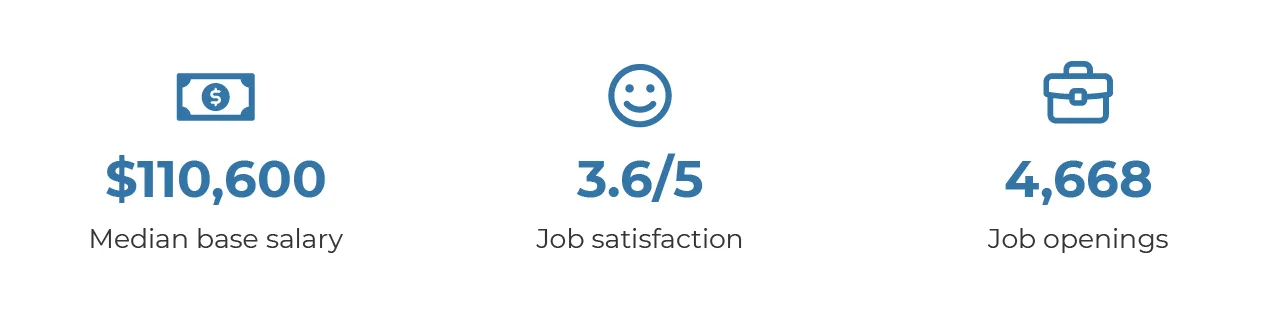
Companies everywhere are digitising their services at an unprecedented rate. However, the move from more traditional form of business operations to online technologies is not simple, and requires an expert who can install, set up, and maintain the machines necessary for these online cloud services. A Cloud Engineer makes this transition as seamless as possible: they deal with the technical aspects of migrating clients and companies onto the cloud, and use their knowledge of scripting, automation, and cloud technologies to make the move to cloud services and cloud-based operations easy-breezy.
# 9 Software Developer
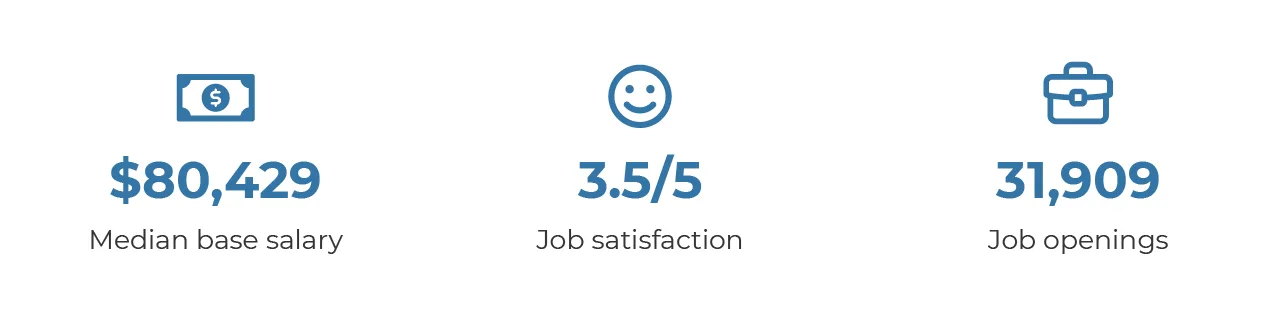
At the number 9 spot, and taking a respectable 32nd best job in 2020, is the title of Software Developer. Software Devs work with a much more focused scope and specific tool set than their software engineer colleagues, and thanks to today’s app- and computer-filled world they enjoy an incredibly high number of job openings. As the 21st-century digital landscape expands, more and more software experts are required to build, maintain, and repair the complex coding creations we use every day. Software developers require a deep knowledge of one or more programming languages, and can work with many different frameworks to both create and maintain applications and programs – responsibilities that net them a very attractive annual salary.
# 8 Systems Engineer
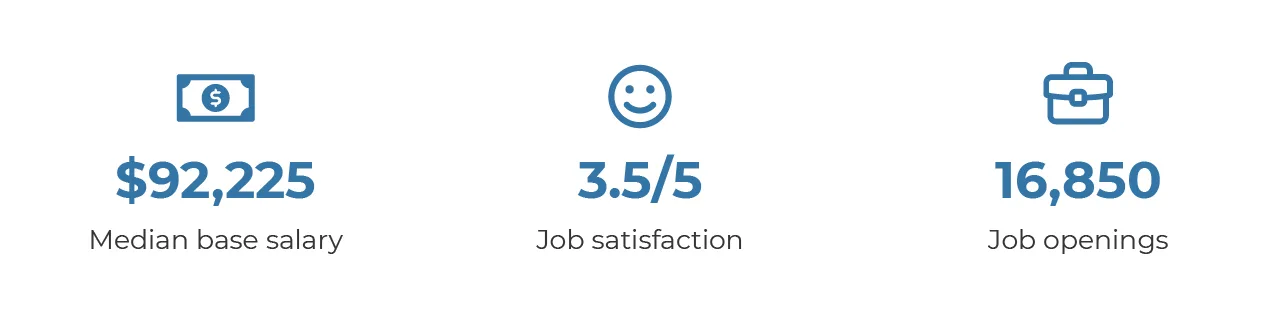
Officially the 27th best job out there, Systems engineers claim the title of 8th best tech job. People in this field work with specialised systems that require specific kinds of software and hardware in sometimes very complex and demanding environments, for example production lines, airports, or control centres. Not only are these positions paid well, but the popularity of other streams of software and hardware specialisation means the niche career positions that systems engineers work in enjoy an increased amount of job security.
# 7 Software Engineer
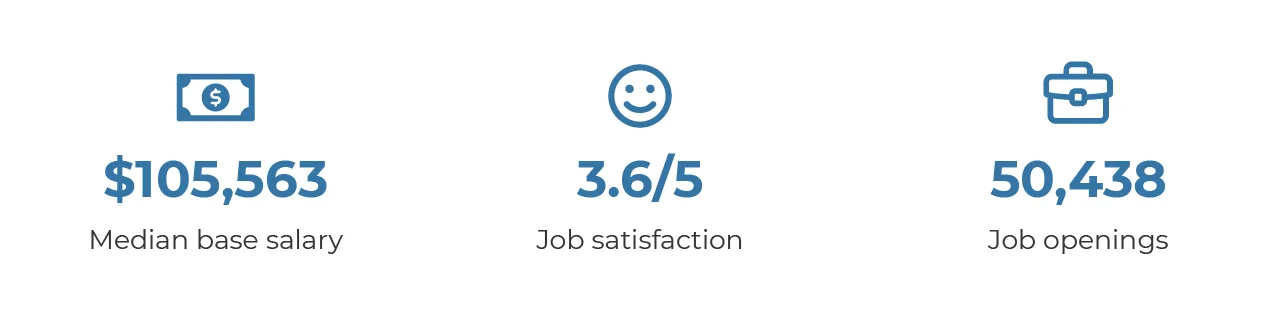
Down a spot from last year’s Glassdoor rankings, the title of Software Engineer is still showing its value. The need for people who can create and maintain the programs we interact with on a daily basis is as clear as ever: simply put, software is everywhere. You can’t help but run into it no matter where you go or what you do. This omnipresence means that Software Engineers are a skilled professional in very high demand.
# 6 Data Engineer
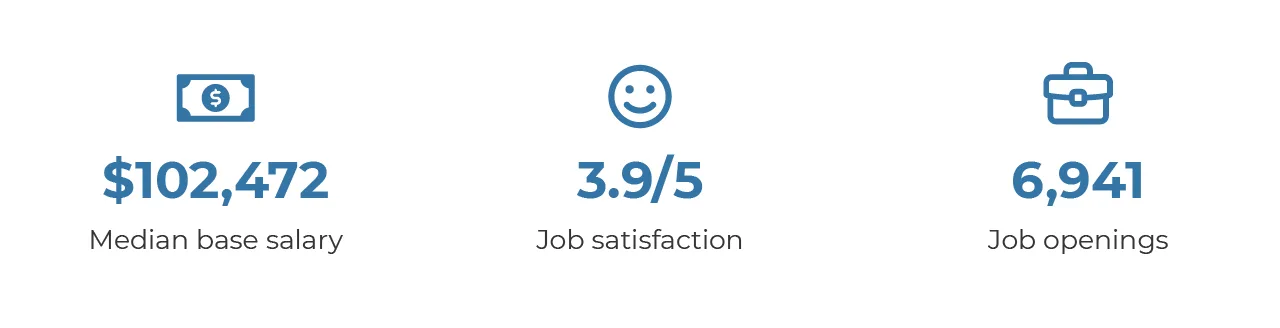
Big Data is a buzzword we’ve all heard a dozen times, but for good reason: right now, thousands of companies across the globe are sitting on mountains of data from years of business that hold the key to better sales, more efficient operations, and considerable spikes in profitability. Data Engineers are the people these businesses rely upon to install and set up the hardware and software they need to start examining and interpreting that data.
Data Engineers need to have a great knowledge of data systems and the integration of both hardware and software into a company’s data needs. They don’t just know how to work with data, but also understand the systems and processes that this large-scale analysis requires, and how to work with these technologies.
# 5 DevOps Engineer
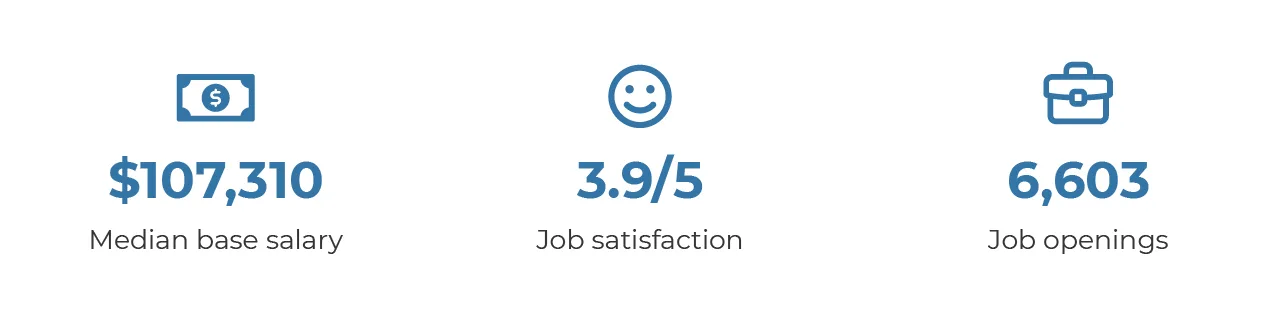
Slipped down, historically strong – has been a top ten contender, being number 2 last year.
Gareth Dwyer, software and operations developer at HyperonDev, explains that a DevOps engineer is ‘a software developer who also knows how to do server configuration and management, and therefore doesn’t rely on a system administrator for operating system, platform and hardware support.’ DevOps straddle deployment and network operations as well as scripting and coding.
# 4 Product Manager
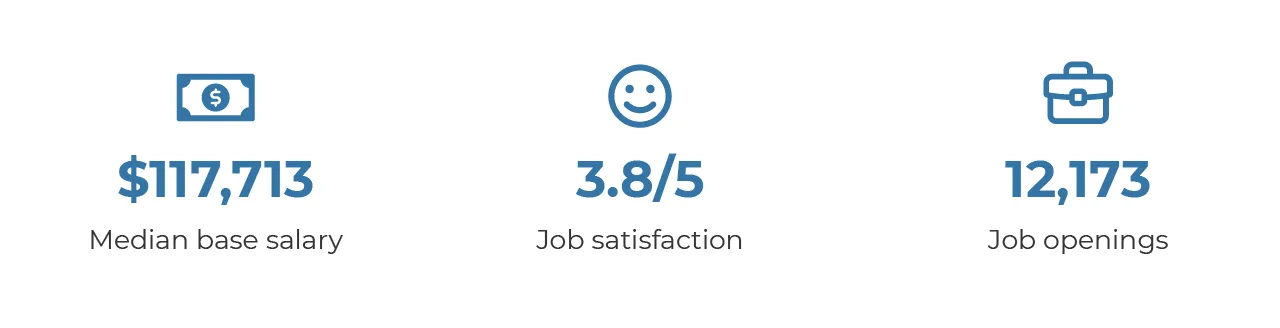
Maintaining its position from last year, the position of Product Manager retains its title as a reliable top-contender in the list of best tech jobs. The strength of this position rests on its multifaceted ability to balance different worlds of business; both the technical side of tech, and the business-facing side of strategising, creating, marketing and selling quality products.
With so many new tech products on the market, companies need a technical, organised and logistics-driven employee who can manage it all. It’s essentially an organisational role that guides the strategy, roadmap and feature definition for either a product line or a product.
# 3 Data Scientist
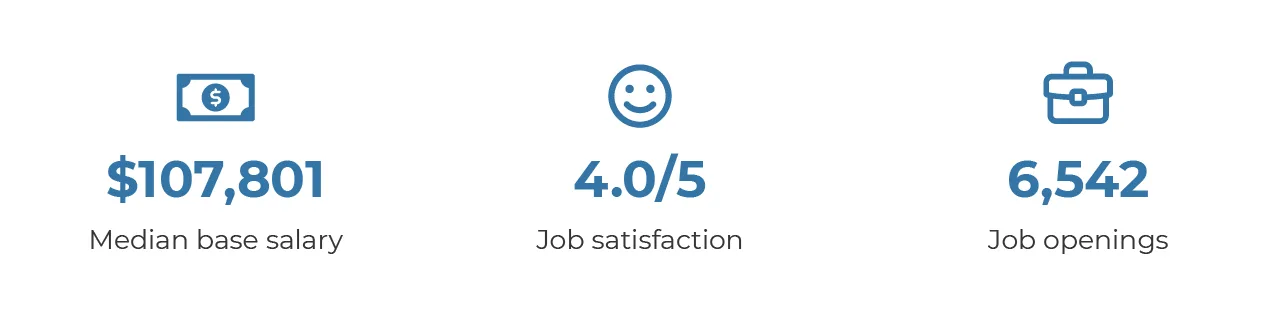
While this has slipped a few places from last year’s best jobs rankings, the allure of large profits hidden in piles of data mean that Data Scientists still sit comfortably in the top three. After all, Data Scientists are the key to unlocking the meaning of that data.
Data Scientists are slightly different to Data Engineers in that they’re the ones who primarily crunch the numbers of the businesses they work with, and have a more hands-on role with analysing and interpreting data than with the hardware itself. One benefit of the job of Data Scientist (just like many other top tech jobs) is that it is at a lower risk for automation. Automation is likely to hit certain jobs hard: bookkeepers, for example, have a 97.6% chance of being automated.
# 2 Java Developer
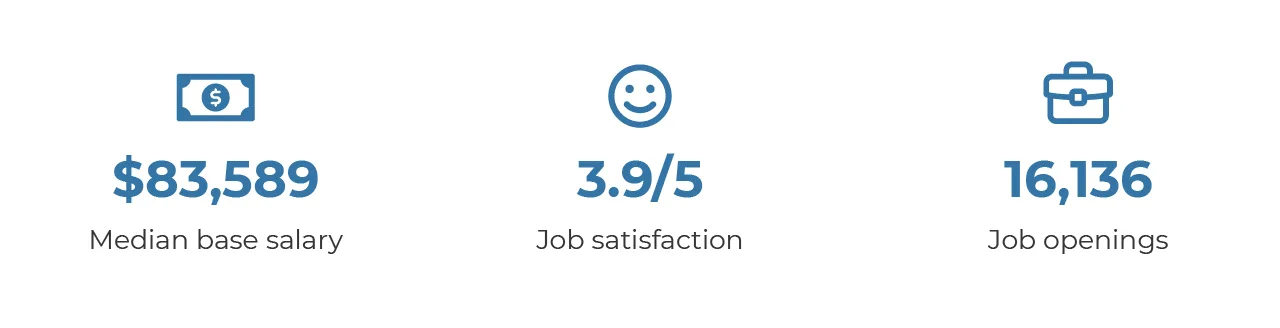
A fast riser, this job title has skyrocketed into the top ten this year, reflecting a growing and hungry market for developers experienced in creating applications in this language. This reflects not only the global rise in demand for experienced java programmers, but also the growing ubiquity of applications and companies using Java for all kinds of legwork and features. As the Stack Overflow 2019 Developer survey states, Java has been the most popular programming language in the world for the past seven years in a row, in a trend that is likely to continue.
# 1 Front End Engineer
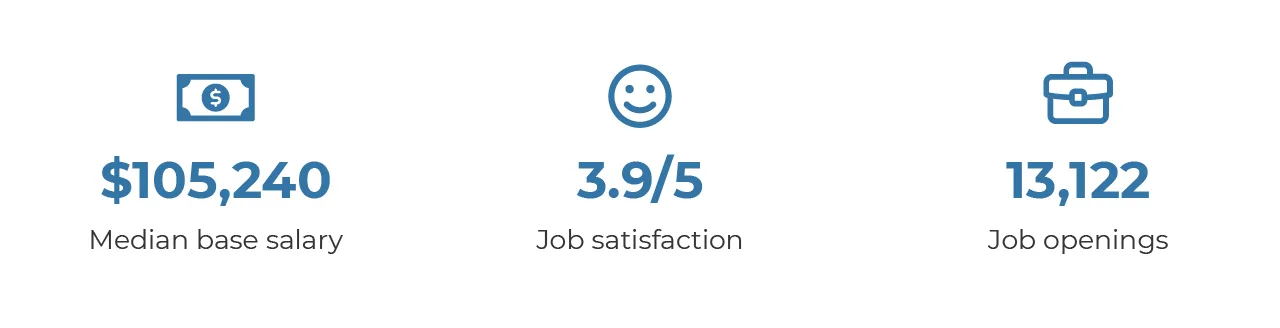
Up an eye-opening 4 places from its number 5 place last year, Front End Engineer has claimed the #1 spot for best tech job. And it’s easy to see why: their role is crucial to the constant and reliable operation of probably every website you use.
At its most basic, front-end engineers tend to write code that runs on a user’s browser, which translates into knowing HTML, CSS, JavaScript and various APIs. HTML, CSS and JavaScript are frequently used in the developer world. Check out this graph, which shows commonly used programming languages, from the 2019 Stack Overflow Developer Survey.
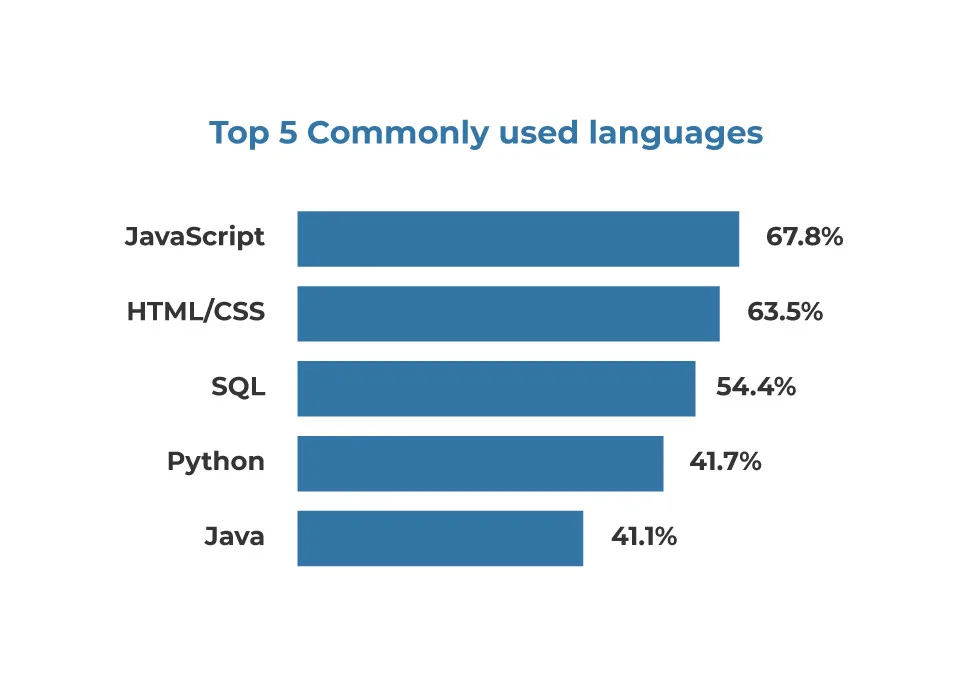
Are you looking to get into a job in tech, which offers more work options, greater pay, more freedom, and the ability to travel and work remotely from wherever you have an internet connection?
You can take your first step today by seeing if this future is right for you by taking our free trial. It has all the basics you need to get started on your coding journey, free of charge.
It’s our mission to close the global tech skills gap by offering high-quality, specialised, and intensive bootcamps in web development, data science, and software engineering. Our mentor-led model gets your code from HelloWorld() to hello new job under the support and guidance of your own experienced coding mentor.
And once you graduate, the programming world is your oyster, with our career support and placements services helping you not just hone your CV, code portfolio and interview skills, but give you preferential access to our list of corporate partners who are looking for fresh coding talent.

Career Advice
How to stand out during the recruiting process
The demand for developers and skilled programmers is growing every day, but this means competition as well as opportunity. So how can you stand out from the crowd of applicants in your search for developer jobs?
Guest blog contributed by Darshan Somashekar
Darshan Somashekar is a guest contributor, startup entrepreneur, and expert in hiring processes. He brings his expertise in finding the right person for the job, and for the company’s future, to the complex world of ensuring that both students and educators are doing the right thing to ensure that finding a developer job is as easy as their first line of code. When it comes to what starter techies can do to stand out from the crowd, Darshan has the insider’s secrets.
As the tech co-founder of numerous startups, including my newest one, Solitaired, I’ve directly or indirectly hired over a hundred engineers. I’ve worked with external recruiters, internal recruiting teams, and worn the recruiting hat myself. I’ve had a lot of experience interviewing engineering candidates, many whom came straight from dev bootcamps.
Many people think coming out of a bootcamp automatically tags you as an entry level engineer, but my experience is different. I’ve found that bootcamp hires can provide unique perspectives that can benefit a team beyond strictly the core engineering skill set they bring.
If you’re coming from a bootcamp, here are some suggestions to stand out during the recruitment process as you find your new programming job or developer job.
Technical communication skills: Most recruiting processes for developer jobs these days include a coding assignment. If you pass the assignment and move onto the onsite interview, you’re likely going to be asked about the code you wrote. A big determinant in landing your next programming job is how you communicate about your code. More specifically, you need to be able to explain the following:
- The high level architecture of your code: you need to be able to visually diagram how your code works.
- Why you chose this approach you took: as you code, note down different ways you could have done something and why you chose this way. What matters here isn’t the choice itself, but the reason why.
- How you would extend your code: You’re going to be asked, “hey if we need to change X aspect, or add Y feature, how would we do that?” Make sure your code is broken down in a modular enough way where you can isolate specific actions and describe how you’d swap them out.
Tip: Prior to going to an onsite interview for your developer or programmer job, you may want to do a mock interview with a friend who can help you flesh out these areas.
Preparedness: Know about the company you’re interviewing at. Coming from a bootcamp, you may not have years of technical expertise that you can rely on to help you in the interview process. However, you can still shine in a different way. Bring up a company’s mission or its product portfolio. Ask about the company’s direction. Have some good, specific questions that show your interest.
Domain expertise: One of the advantages that you may have over other applicants for the developer job you’re applying to is your background before the bootcamp. For example, one of my companies, Imagine Easy, helped students with their bibliography citations. We sometimes came across candidates that had Library Science degrees – this immediately improved their chances since we knew the candidate would immediately understand the pain points our products solved. Be sure to update your resume to highlight any relevant background you may have regarding the company.
Community: Another unique benefit you might have as a bootcamp graduate is the alumni network and community that comes along with many bootcamps. By participating in events, doing speaking engagements, and knowing the main organizers of a bootcamp, you can offer companies a unique recruiting channel that they may not have access to otherwise. And if they do, being active in the community will still help you by improving your chances at future opportunities for developer jobs.
Personally, I’ve found that the hires we’ve made from bootcamps perform exceedingly well on our teams, and round out our teams in ways we didn’t expect. In my new role, as co-founder of casual gaming platform Solitaired, I hope to continue to leverage the power of bootcamps like HyperionDev to our recruiting process.
—
At HyperionDev, we don’t just specialise in teaching people software engineering, data science, and full stack web development so that they can upgrade their salaries, mobility, and career prospects in programming jobs – we work to bridge the global tech skills gap, at all levels.
Our placements service helps to develop our students portfolios, CVs, and interview skills, so that new programmers can fill the growing holes in the rapidly expanding tech market; while our revamped HyperionDev Connect platforms help companies to fill their coding and tech vacancies with programmers who know what they’re doing.
If you want to find out if the tech space is for you, why not take our free trial? It has everything you need to get started on the road to hearing “you’re hired” at your new tech career.

Career Advice
Why programming is your ticket to a bright future, regardless of your geo-location
Whether you’re a stalwart #ImStaying fan or already applying for your visa, there are many, many reasons why programming is your best bet at a new life, either in SA or abroad.
When talking about learning programming and the lucrative career opportunities this ever-growing industry offers, it’s inevitable that the conversation turns to the world of work abroad. Right now, many South Africans want options, especially for chances to work overseas from South Africa. Despite whatever conversation there is over the negativity in South Africa, one truth still stands strong: skills in programming and computer science are an unrivalled path into a career that is highly mobile and incredibly rewarding.
So, whether you’re in the #ImStaying crowd, or already applying for your visa, there’s plenty of reasons to consider programming as the pivotal part of a better tomorrow.
Emigrating from South Africa to the UK
This is the primary go-to location for South Africans looking to work overseas from South Africa or to emigrate. An often overlooked piece of news that comes out of the UK at the start of the new year is the wholesale update to existing policy documents – one of which is the piece of paper which is central to the whole question of emigrating to the UK. This is the Shortage Occupation List, a comprehensive and codified document that outlines all occupations that are in high demand in the UK – and since the prospects of Brexit first broke four years ago this is a document that has only increased in length, with developer and IT-related specialist fields now including ‘All jobs in this occupation code’. That means that, no matter which language or framework you specialise in, there’s a good chance of a bright future in Britain.
UK developer jobs are among the most highly paid positions in the world, with an average salary of £30,915 a month, with other sources stating that a UK-based developer can take home 145% more money than other jobs. The closer you get to the central IT hub of the English economy, London, the more you earn: London-based programmers can make nearly 30% more than they would anywhere else in the country.
There’s a lot of opportunity on the shores of Great Britain: opportunity that has even been seized by past students of ours who started in careers totally unrelated to programming, such as teaching. What’s to say you can’t do the same?
Emigrating from South Africa to the United States
Despite the projected downturn in growth for local developers in the US market, developers and programmers take home an eye-watering figure. Even with the size of the US and the variance of pay and work demand from state to state, developers coding in America can take home anywhere between $63,000 and $81,000 a month on average, with government estimates for median pay slated at $84,000 (that means you’re more than likely to earn closer to the high end of the averages than the low end). What’s more, the overwhelming majority of highest-paying states for dev jobs in the US have all enjoyed significant salary growth in the past year, especially when compared to all other occupations.
Of course, these bright prospects are somewhat dulled by the convoluted US visa system, with its multiple tiers and codes each with their own work and/or work exchange programs. If you’re thinking about taking your career to the land of the free, your best bet is to first familiarise yourself with the long list of visas, and whether or not your field of tech expertise falls into eligible categories.
Emigrating from South Africa to New Zealand
Given the global interest of other first-world nations to be the world leaders in all things programming, New Zealand has similarly expanded its interests in snapping up talented developers and programmers. While its own lists of shortage occupations and critical skills are growing, the New Zealand government has been quick to announce that its doors are open, with determined efforts to turn its homeland into “a breeding ground for innovation [that] competes successfully on the world stage” – and their industry reflects this attitude, with a positive sector growth of 12% in the last year alone.
Salaries in New Zealand stand at around NZ$76,000 a year, and with three years’ experience in a programming field prospective or emigrating jobseekers can get quick access to the country on a Skilled Migrant Category visa for a whole range of IT and development-related positions, including web development, software engineering, systems analysis, or even software testing!
Emigrating from South Africa to Australia
Finally, there’s Australia, where developer salaries can start at AU$68,830 according to Payscale – a figure that seems somewhat conservative, given Glassdoor’s stated salary average for web developers to be closer to AU$124,000 a year.
Just like its neighbour to the North and its tech rivals to the east and west, Australia wants to be at the forefront of the digital frontier, and is hungry for talent. It’s list of skilled occupations – which qualify for work visas – has similarly expanded to include a wider range of programming and development jobs than previous years.
Growing opportunities right here in South Africa
Whatever you read in the papers about SA or our economic situation, there’s one simple truth: it pays to know how to code. Payscale reports that the average salary for a software developer in South Africa is R307,734 per year, with our own Graduate Outcomes Report from 2018 showing that on average our grads were able to double their salaries with a change in career to tech. Plus, there isn’t a huge disparity in developer salaries between our two largest metropoles, with the earning capacity of developer jobs in both Cape Town and Joburg showing that the industry’s slow expansion is pushing even junior positions into higher earning brackets in comparison to previous years.
And if things improve with loadshedding, the economy, and life in SA, the devs looking to work overseas from South Africa will find themselves in a position to snap up the lion’s share of work flooding in (digitally) from abroad. With the US Bureau of Labor Statistics predicting a decline of over 7% in industry growth for US-based programmers as American companies look overseas for cheaper coding labour, there’s a wave of opportunity heading for locally-based programmers who have the skills to deliver high-quality code to overseas digital giants. Even if things don’t turn around in SA, these developers’ new proficiency in high-demand programming languages means they are well equipped to make a better informed decision about their work future overseas, as more foreign territories expand their lists of IT-related critical skills for priority work placements.
A world of opportunity, no matter where you are
Regardless of your decision to explore greener pastures overseas, or set yourself up to take advantage of growth opportunities in SA, there’s no doubt that learning to code is probably the best decision you can make. The earning potential, the freedom to work remotely, and the career mobility that allows you to work overseas from South Africa across the world are simply unrivalled by any other career out there.
If you’re looking to get the skills that rank at the tops of nearly all the world’s government’s critical skills lists, why not look at our Web Developer, Software Engineer and Data Science bootcamps? They’re specially designed to teach industry-grade skills that get you hired, even if you’ve never read a line of code in your life. Our expert mentors guide you through an intensive program that teaches you practical skills for real-life development problems, and nurture your coding skills to go from Hello World to Hello… wherever you decide to work one day. Best of all, these bootcamps fit into your busy life and schedule, and can be completed online or on-site, full time or part time.
Click here to speak to one of our expert consultants who can find out which programming career is your best fit, or register for your free trial to learn the basics to get you started on your path, with no commitment.

Career Advice
Larry Jimu: Top 10 Websites I Use When I’m Stuck
If you’re in the market for coding help, check out former HyperionDev student Larry Jimu’s suggestions. He’s listed his top five websites and top five YouTube channels for those tricky coding questions.
As a new, or even experienced, programmer, you’re going to run into difficulties. That’s why, as a former HyperionDev student, I’ve put together this useful list of the top ten websites for coding help. I’ve divided this list into two sections: five websites and five YouTube channels. I hope you find these websites as useful as I find them.
Websites
- Stack Overflow
Ah Stack Overflow. The number one go-to location for all programmers. Stack Overflow is the most popular social network for developers worldwide, with over 4.7 million users. The beauty of Stack Overflow is that it allows you to ask custom-made questions to a community of capable developers. Members in the community are rewarded for providing the solutions to these problems, meaning you are more than likely guaranteed to receive a response to your coding question. Also, it hosts questions in numerous programming languages, platforms, and services – the top ones among them are JavaScript, Java, C#, PHP, Android, jQuery, Python, and HTML.
There is nothing you cannot find on reddit, and that is also the case for serious programmers who value useful information. Reddit is made up of thousands of communities that host discussions about particular interests and topics, including programming languages, computers, the Internet, and more. When I have a problem, the useful communities I visit include r/Python, r/AskComputerScience, r/programming and r/dailyprogrammer.
- Tutorialspoint
Tutorialspoint is a digital library where you can learn a wide variety of software technologies. The library is divided into many useful sections including ‘Latest Technology’, ‘Machine Learning’, ‘Web Development’, ‘Java Technologies’, and so on. I often visit Tutorialspoint when there’s a particular topic I have not yet fully grasped, since their material is dummied down to the point where you can teach what you see there to a monkey.
- MIT OpenCourseWare
MIT OpenCourseWare offers courses from MIT professors to anyone with a thirst for knowledge, free of charge. Complete with video lectures, activities, and much more, you can’t beat access to free state-of-the-art learning on the fly. I highly advise the MIT Open Courses for anyone who wants to gain a more in-depth explanation for programming concepts.
- CodeRanch
CodeRanch is a discussion board for programmers. It’s an ideal place for novices to learn the basics of Java, Android and iOS programming, as well as posting queries about the things with which they need help. Sub-forums on databases, computer engineering, and other languages, including Python in Machine Learning, are also available. One can easily register, join a sub-forum, ask questions, and reply to unanswered questions.
YouTube Channels
- Colt Steele
Without doubt, the number one YouTube Channel I recommend for all programmers is Colt Steele. He is a very experienced tutor who lectures on his coding bootcamps in the USA. His videos incorporate a wide range of topics including Full Stack Web Development, Python, React, Node and several other Computer Science platforms. I highly recommend his videos to anyone who needs basic and easy-to-understand explanations for the most complex problems.
- TheNewBoston
TheNewBoston has more than 4,200 videos and over2.4 million subscribers. TheNewBoston is arguably the single best resource for anyone who wants to become a programmer. The tutorials in this channel cover a range of different programming topics including developing for Android and Web design. Bucky Roberts is the guy who manages the channel and teaches the lessons, using a teaching style best described as entertaining and simple. He makes me feel very comfortable whenever I’m stuck with coding.
- Treehouse
Treehouse, a YouTube channel run by teamtreehouse,is one of the most popular programming tutorial resources on the Internet. On Treehouse, you can find programming tutorials on PHP, CSS, JavaScript, Python, Apple’s Swift programming language, and C++. Teamtreehouse offers lessons on numerous topics including coding in C# and Python. Treehouse has over 332 videos and more than 154,000 subscribers.
- Programming Knowledge
Here you will find a variety of videos aimed at new programmers. The tutorials on Programing Knowledge range from an Android tutorial for beginners to Python, Java, and C++ tutorials. Among the resources is a C programming tutorial that is widely considered the best course in that language that you will find anywhere. The channel (along with the ProgrammingKnowledge blog) is owned by Yogesh Patel. The sheer number of videos – over 1,000 of them – is incredible, and all of them are geared towards beginners, making this one of the first channels that anyone who gets stuck in coding should bookmark. Programming Knowledge has over 443,000 subscribers.
- java Brains
JavaBrains is a popular YouTube channel, probably because the focus of this channel is simple yet precise. It’s a channel entirely dedicated to free Java tutorials. The Java programming language is known for its usefulness in building Android apps, server-side applications, web applications, and much more. So, the Java Brains channel provides video courses on Java essentials, enterprise Java courses, Java EE courses, and many more. There are even some JavaScript and AngularJS courses as well.
In conclusion, it is inevitable for a developer to need coding help. Like the great Sylvester Stallone said, “It’s not about how hard you hit. It’s about how hard you can get hit and keep moving forward. How much you can take and keep moving forward.” When that bug hits me with everything it has, I hit back and keep moving forward, using one of the resources listed above.
This post was written by Larry Jimu.

Career Advice
Are robots stealing our jobs?
With the rise of robots, job automation has become a serious threat to future employment. Find out the likelihood of a robot taking your job, and how you can best future-proof your career.
The age of robots and job automation is upon us. There has been a lot of discussion over the past few years about the rise of robots and the impact they will have on our jobs. And the outcome sounds very ominous. In fact, the OECD estimates that 14% of jobs will be replaced by automation and another 32% will be radically changed by emerging technologies very soon. While it is certain that robots are going to displace portions of the workforce, should you be worried?
The rise of the robots
While machines and automation are nothing particularly new, current industrial automation and robots are multipurpose and reprogrammable. Across all industries, robots are being developed and deployed to increase productivity and profit margins.
Intelligent Transport Systems use real time traffic and passenger information to automatically adjust timings – potentially disrupting the transportation industry. Office and administrative support is being replaced by more efficient algorithms and software. ‘Less Paperwork = Higher Profits?’ by Verizon Connect explains how in the world of logistics, fleet management software allows invoices, quotations, job statuses, and other pertinent information to be automatically shared between concerned departments. This eliminates the potential of paperwork being delayed or lost in processing.
While it was traditionally believed that automation would only displace repetitive and menial jobs, huge leaps made by technology such as artificial intelligence and machine learning has put even more complex jobs at risk.
Will a robot take your job?
Robots are being adopted in relatively high-tech but labour-intensive industries. A Brookings study claims that jobs that require precision and repetition like the food service industry, manufacturing, and clerical support are the most vulnerable and these jobs could be displaced in the near future.
The study also warned that automation could replace jobs that are currently held by lower to lower-middle class workers – potentially increasing the already worrying income gap in most countries. As it is, workers in the Slovakian manufacturing sector have a 62% chance of being automated.
The McKinsey data used in the study also suggests that countries with a high ratio of service sector jobs like the UK and France are at a lower risk of being upended by robots in the near future.
Job loss or better jobs?
While headlines are mostly concentrating on the effect of robots and automation on our jobs, economic experts say that there is a false dichotomy when reporting job loss brought about by technology.
Computer World details that robotic process automation will only obliterate a portion of jobs. But automation will also create a higher demand for higher paying ICT labour markets. As often cited, the use of robots in Amazon and Walmart only led to its need for a higher quality workforce.
As robots in industries become more common and advance in quality, the gap in the demand for tech jobs and the labour market will become more pronounced. This opens an opportunity for workers to adapt and close in on this gap – reskilling the workforce for the new jobs that automation brings with it.
The good news is that certain kinds of software developers will be in high demand over the coming decade. Generally, these programmers will possess one or both of these attributes:
- Flexibility: Programmers who embrace flexibility are in a stronger position not to be automated. This would include being able to develop custom features, integrations, tailored admin, and user areas that are specifically adaptable for given industries.
- High-performing: Coders who can help with a variety of performance issues as they relate to software applications will be needed – for example, where you are bundling together a number of tools or solutions, or where there is a massively large volume of users or data. All the HyperionDev bootcamps – Software Engineer, Data Science, Full Stack Web Developer – incorporate multiple frameworks and languages in their course content.
As the rise of the robots is inevitable, future proofing yourself by learning new skills should be of the utmost importance. If you’re keen to change careers or upskill, consider enrolling on a HyperionDev online bootcamp in Full Stack Web Development, Data Science or Software Engineering. You can also trial one of these courses for free. If online learning is not your thing, you could enrol in an immersive, face-to-face Web Developer or Software Engineering course in Cape Town or Johannesburg.
Editorial composed by Janna Therese for the exclusive use of hyperiondev.com
Still have questions?
Contact our Admissions Team, and a real person will get back to you.